Spam Protection
How the built-in layers work, how to adjust them and how to recover a real message from Spam.
Protection is on by default, with nothing for visitors to solve. Suspicious submissions are kept in Entries → Spam with the reason, rather than being thrown away. Click Not Spam to restore one.
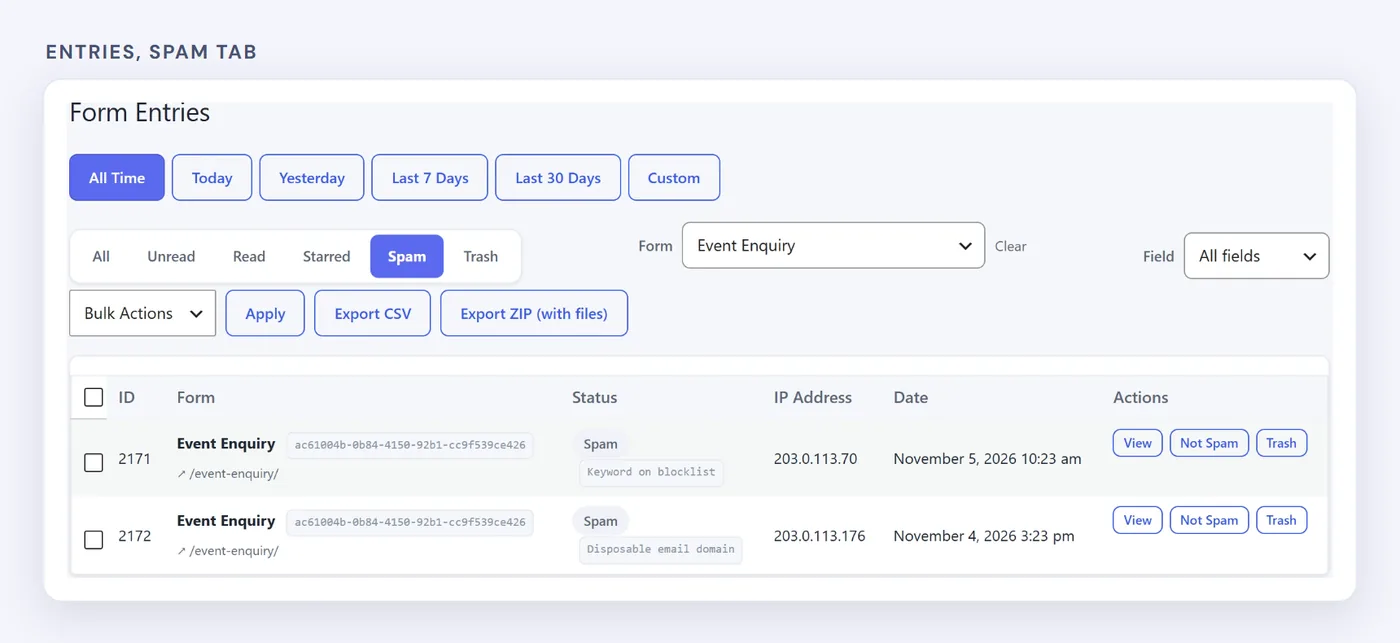
Each held entry shows why.
Adjust the Settings#
Go to HappyDivi Form → Settings → Security.
| Setting | What it does | Default |
|---|---|---|
| Rate limits | Limits submissions per visitor and per form | 5 per visitor, 60 per form, each minute |
| Disposable emails | Flags throwaway email domains | On |
| Email and keyword blocklists | Flags addresses, domains and words you list | Empty |
| Link detection | Flags messages with too many links | Off |
| Duplicate checks | Flags repeated emails or messages in a set time | Off |
| JavaScript proof | Checks that the browser ran JavaScript | Off |
Add CAPTCHA (Pro)#
Choose reCAPTCHA v3, hCaptcha or Cloudflare Turnstile, and paste your keys. You can also decide what happens if the provider cannot be reached: let the submission through, which is the default, or block it.
For a full plan, read how to stop Divi contact form spam.