New Liven is live for Divi 5 and Elementor
Divi 5 plugins that keep working long after launch.
Build your pages however you like: by hand, with Divi AI, or with an AI agent. HappyDivi adds the parts that need to stay fast, look right and keep working for years. Made by a Divi developer since 2017.
- Native Divi 5 modules
- No tracking on your visitors
- WCAG 2.2 AA
- 30-day money-back guarantee
The real question
Building the page is the easy part now.
Divi 5 is faster than ever, and AI can lay out a whole page in minutes. But every plugin you add stays on the site long after the design is done. So the question isn't "can it do this?" It's this:
01
Will it still work after the next Divi update?
Your client won't call the plugin author. They'll call you.
02
Will it slow the page down on a phone?
Most visitors arrive on mobile, on a connection you don't control.
03
Will a real person answer when something goes wrong?
Not a chatbot. Someone who knows the code.
Those three questions are how we decide what to build.
New · Liven by HappyDivi
Websites don't have staff. Now yours does.
In a shop, someone points you to the right shelf. On a website, visitors are on their own. They scroll past your best button, never open the FAQ, and leave when a form error goes unnoticed.
Liven adds a small character and hand-drawn cues that point to what matters, show how your tabs and accordions work, and cheer when a form is sent. Four clicks in the builder. No code.
- Works with Divi 5 and Elementor on one licence
- Reacts to the forms you already use: Contact Form 7, WPForms, Fluent Forms, Gravity Forms and more
- No cookies, no tracking, a Pause button for visitors who prefer calm
Launch price from $49, pay once
Live on this page
This is Liven itself, not a picture of it.
Scroll here and Pip points at the button. Hover it and Pip gives it a nudge. Both are set in the Liven tab of an ordinary Divi button.

One module. Five places your images can come from:
- Media Library
- WooCommerce
- Posts
- ACF fields
- Custom post types
HappyDivi Gallery
Your next store or portfolio shouldn't need three gallery plugins.
A WooCommerce shop, a portfolio from custom post types, a gallery built from ACF fields. Usually that means juggling different tools. HappyDivi Gallery handles all of them in one native Divi 5 module.
Grid, Masonry and Justified layouts. A built-in lightbox. WooCommerce galleries with color swatches and a carousel per product.
Keep your current gallery plugin. Try this one on your next project.
$25 a year, unlimited sites
HappyDivi Form
"Why did the enquiries stop?"
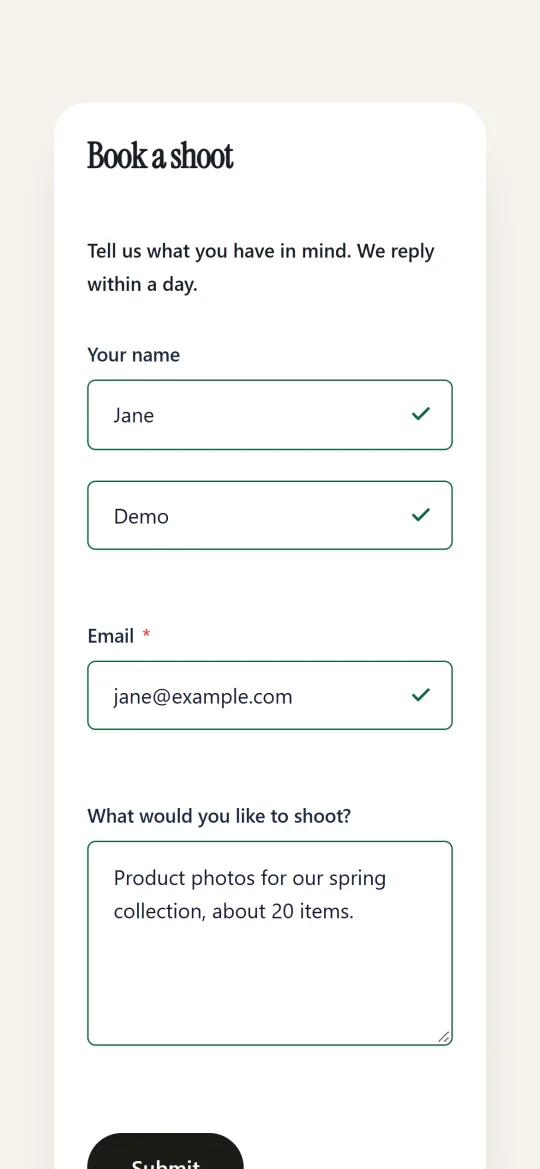
It's the email every web designer dreads. The form looked fine. The notification never arrived. The lead is gone.
HappyDivi Form saves every entry inside WordPress, so a lead never depends on an email arriving. Add 22 field types, multi-step forms and conditional logic. Take a deposit with Stripe. See how each form performs.
Free to start, Pro when you need it
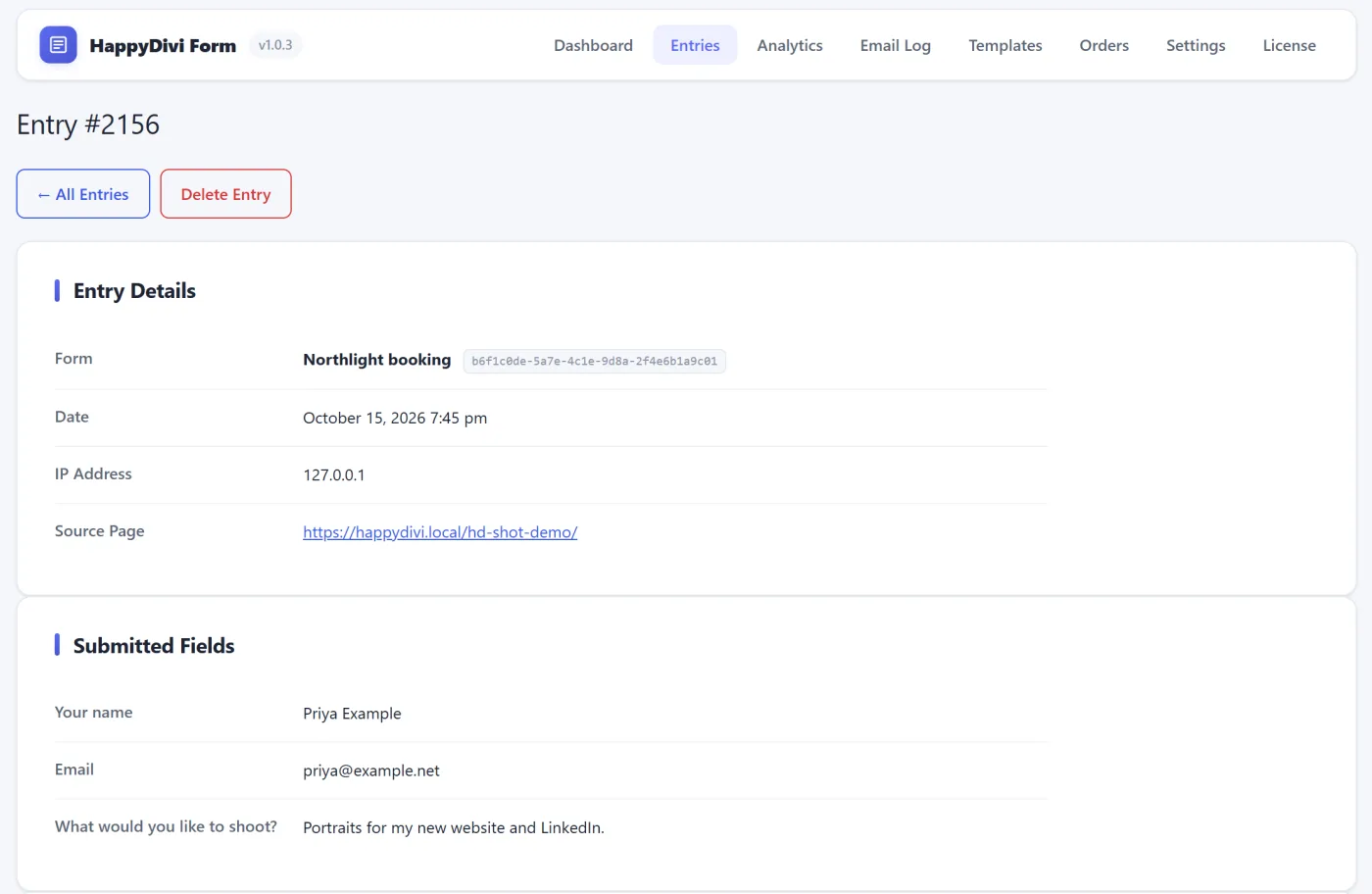
- Saved in WordPress
- Export to CSV in one click
- Email sent, and still safe if it wasn't

Who's behind it
"A good plugin should solve a problem without creating three new ones."
I'm Rubait. I've been building for Divi since 2017. In 2019 I founded DiviZoom, and in 2022 I sold it. When Divi 5 rebuilt the builder from the ground up, I came back to make plugins the way I always wished they'd been made: small, focused and native to the builder.
Every HappyDivi product follows one rule. It has to feel like Divi built it. And when you email support, you reach the people who wrote the code.
Rubait Hasan, founder of HappyDivi · Read the full story
What you can count on
Remember the three questions?
Here are our answers.
Hand-built, Divi AI, or an AI agent. It all fits.
HappyDivi plugins sit inside the builder like Divi's own modules, so they fit the same workflow whether you drag and drop or let AI draft the layout. The design is yours. Our job is the parts that need to stay reliable after launch.
- Drag and drop
- Divi AI
- AI agents
Don't take our word for it.

Great, Fast, and direct communication when I encountered a glitch.

Plugin does exactly what it is supposed to do and the support is fast.

VERY PROMPT RESPONSE.

HappyDivi made building image galleries for WooCommerce products in Divi incredibly easy. Everything feels native to the builder, and the results look great without extra tweaking.

We've used HappyDivi on several client projects already. It's reliable, fast, and offers much more control than the standard Divi options. Great plugins.

I needed a gallery solution that was both flexible and fast. HappyDivi delivered exactly that. The filtering options are excellent, and my clients love how easy it is to manage.
Pick your starting point
Start with the one you need today.
New
Liven
$49 once, 1 site
Launch price. $149 for unlimited sites. Lifetime updates.
HappyDivi Gallery
$25 a year
Unlimited sites. Also on the Elegant Themes Marketplace.
HappyDivi Form
Free to start
Upgrade to Pro for payments and more.
Every paid plan has a 30-day money-back guarantee. Ask within 30 days and you get your money back.
FAQ
Questions before you buy
Still not sure? Ask us directly. You'll get an answer from the person who wrote the code.
Getting started
What is HappyDivi?
HappyDivi makes plugins for the Divi 5 page builder: HappyDivi Gallery, HappyDivi Form and Liven by HappyDivi. Each one works inside the builder like a native Divi module.
Which HappyDivi plugins work with Elementor?
Liven works with Divi 5 and Elementor on one licence. HappyDivi Gallery and HappyDivi Form are made for Divi 5.
Do I have to remove my current gallery or form plugin?
No. You can run HappyDivi alongside it and use it on new pages first. Liven also works with Contact Form 7, WPForms, Fluent Forms and Gravity Forms.
Do HappyDivi plugins work with Divi 4?
No. They are built for Divi 5. Liven needs Divi 5.13.1 or newer, or Elementor 3.30 or newer.
Can I use them on pages built with Divi AI or an AI agent?
Yes. HappyDivi Gallery and HappyDivi Form are regular Divi 5 modules, and Liven is a tab on any element, so they work the same whether a page was built by hand or drafted with AI.
Buying and licences
Is there a free version?
HappyDivi Form is free to start. HappyDivi Gallery is $25 a year for unlimited sites. Liven is a one-time payment at launch pricing: $49 for one site or $149 for unlimited sites, with yearly plans also available.
Can I use HappyDivi on client sites?
Yes. The Gallery licence covers unlimited sites, and Liven has an unlimited-sites licence made for freelancers and agencies.
What happens to Liven if my licence ends?
Your cues keep working. A licence turns on updates and support.
Can I buy HappyDivi Gallery on the Elegant Themes Marketplace?
Yes. HappyDivi Gallery is also listed on the Elegant Themes Marketplace.
What if it isn't right for my site?
Every paid plan has a 30-day money-back guarantee. Ask within 30 days of your purchase and you get your money back.
Trust and support
Will they slow down my site?
Each plugin loads its code only on pages that use it, in small pieces, and adds no tracking scripts.
Do HappyDivi plugins collect visitor data?
No. We add no tracking scripts to your visitors' pages, and Liven sets no cookies. The only thing we receive is a licence check from your WordPress admin.
Are HappyDivi plugins accessible?
Yes. Every HappyDivi plugin is built to WCAG 2.2 AA, with keyboard navigation, screen reader support and reduced-motion settings.
What happens when Divi releases an update?
We test our plugins against new Divi releases and ship fixes quickly. Every product has a public changelog, so you can see what changed and when.
Who answers support?
The developers who build the plugins. We aim to reply within one working day. Write to support@happydivi.com.
Where can I find documentation?
Every product has setup guides in our documentation. Developers will also find documented hooks, filters and CSS custom properties.
Hand over the site. Stop worrying about it.
Try Form for free, add Gallery for $25 a year, or give your visitors a guide with Liven. You have 30 days to change your mind.
- Free plan available
- 30-day money-back guarantee
- Support from the developers