New
For Divi 5 and Elementor
Your visitors skim. Liven shows them where to look.
Liven is a WordPress plugin that gives your website a tiny guide. It circles your best offer, points at your button, shows how your tabs work and cheers when a form is sent. Skimmers stop missing what matters, and more of them do what you built the page for.
- No code, set up in 4 clicks
- No cookies, no tracking
- Built to WCAG 2.2 AA
- 30-day money-back guarantee
bloomyoga.example
Bloom Yoga Studio
Find your calm in 30 minutes a day
Small classes, friendly teachers, all levels welcome. Classes from $12.
Liven in one line
Liven by HappyDivi is an attention guide for Divi 5 and Elementor websites: a small character and hand-drawn highlights that point, show and react, so visitors notice the content and buttons you want them to notice.
The problem nobody sees
You wrote your page for readers. Your visitors are scanners.
People don't read websites. They scroll with a thumb, stop on a big image or a bold line, and keep going. Your offer, your proof and your button all live in the parts they slide past.
Nielsen Norman Group's research found people read only about 20% of the words on an average web page. Read the study
What you built
Headline
Your story
Big image
The offer
Reviews
FAQ
Book now button
What they saw
Headline
Your story
Big image
The offer
Reviews
FAQ
Book now button
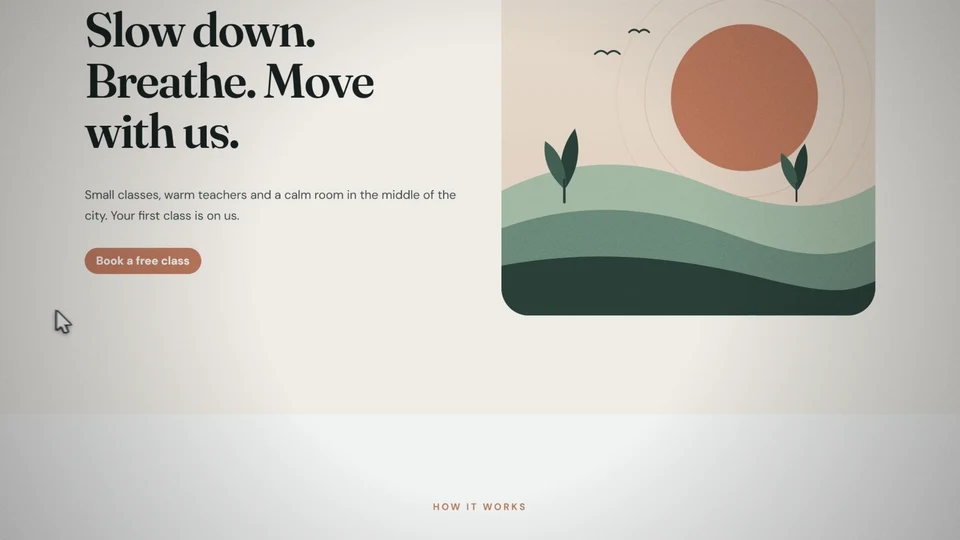
Your best button gets scrolled past
The offer is right there. The thumb flicks past it, because nothing on the page said "this one".
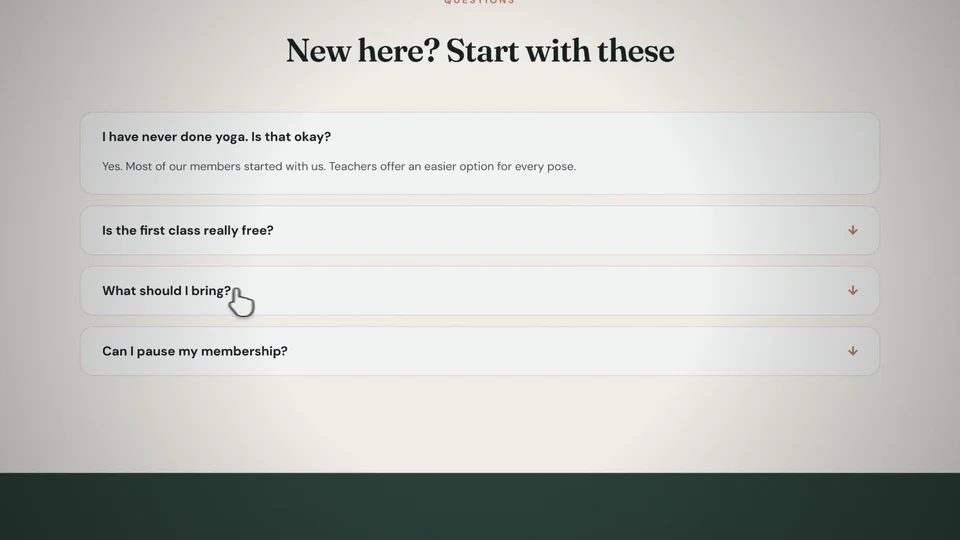
The answer was in the FAQ. Nobody opened it.
The question that stopped them was answered one click away, folded up where nobody thinks to look.
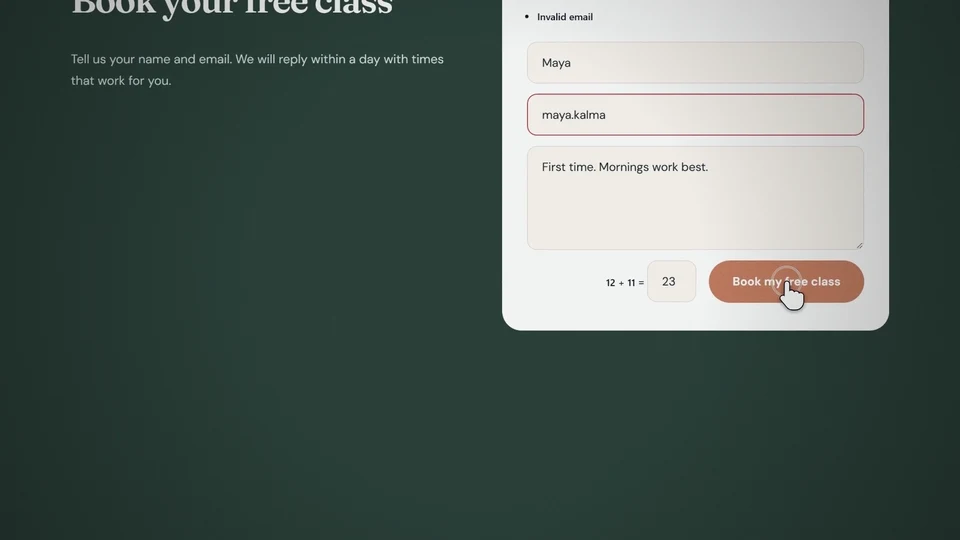
The form failed. They thought it sent.
One field turned red. They closed the tab believing you'd reply. You never hear from them, and you never know why.
It's not your design. It's that nobody is there to point.
Think about a good shop
Walk into a shop and someone helps you. Land on a website and you're on your own.
In a good shop
- Someone says hello and asks what you need.
- They point you to the right shelf.
- They show you how the machine works.
- They notice when something goes wrong.
- They smile when you buy.
On your website today
- Silence. The visitor decides alone, in seconds.
- Your best offer waits in section five.
- Your tabs, sliders and FAQ stay closed.
- A form error goes unseen and the lead is gone.
- A small grey "Thanks", if anyone notices it.
Liven is the staff member your website never had.
Try it yourself
Same page. Two versions.
Nothing changes between these two pages except the help. Watch where your eye goes in each one. The marks on the right are Liven, running live on this page.
Without Liven
NORTHSIDE FITNESS
Get stronger in 12 weeks, with a coach in your corner
Pick a plan, start your free week, cancel any time.
Starter
$19 /month
Coach
$39 /month
Elite
$79 /month
With Liven
NORTHSIDE FITNESS
Get stronger in 12 weeks, with a coach in your corner
Pick a plan, start your free week, cancel any time.
Starter
$19 /month
Coach
$39 /month
Elite
$79 /month
What Liven does
Three things good staff do. Now your website does them too.
1. Point
Make the important thing impossible to miss
Circle a price, underline a promise, stamp "Best value" on a plan, or let a character point straight at your button. No rewriting, no redesign.
Circle · Underline · Highlight · Arrow · Stamp · Note · Spotlight · Bracket · Scroll hint
2. Show
Show how your page works, in one second
The character presses your real tab, opens the accordion or slides the before-and-after once, then puts everything back. Visitors learn by watching, not reading.
Tabs · Accordions · Toggles · Sliders · Before and after · Filters
3. React
Answer every click, error and success
A cheer when the form is sent. A pointed finger at the one field that's wrong. A small push when someone hovers your button. Visitors always know what happened.
Form sent · Form error · Click · Hover and focus · Change
Step paths
A line draws itself through your "how it works" steps as visitors scroll. It becomes a neat timeline on phones.
Exact-word targeting
Point at one word in a heading, the price inside a card, or a single field in a form. Tune it per screen size.
WooCommerce aware
In Divi 5, Liven knows Add to Cart, Product Tabs, Related Products, price, rating and stock, and suggests the right cue.
Use cases
What is your website for?
Every website has one job. Pick yours and see what visitors are missing right now, and what Liven does about it.
What visitors miss today
The sale price, the details, the cart button. Shoppers glance at the photo, skim past the discount, never open the product details and lose the Add to Cart button somewhere below the gallery.
What Liven does
- The character points at Add to Cart, nudges it on hover and cheers when it's clicked.
- A marker circles the sale price and stamps "Only a few left" on low stock.
- Product Tabs open once on their own, so shoppers see there's more to read.
What visitors miss today
The form, or the error inside it. Visitors read your headline, scroll past the form, or hit a red field they never notice and leave thinking the message went through.
What Liven does
- A hand-drawn arrow and note lead the eye straight to your form.
- If an email is wrong, the character points at that exact field, then cheers when it's fixed.
- A celebration on submit tells people their message really arrived.
What visitors miss today
The fastest way to reach you. Your call or WhatsApp button sits in a corner. Busy visitors read about your services and never notice they could message you right now.
What Liven does
- The character waves at your call or WhatsApp button the moment visitors reach your services.
- A note beside it says what you want them to know, such as how fast you reply.
- A gentle push on hover makes the button feel like the obvious next step.
What visitors miss today
How easy booking actually is. People like the service but can't see how booking works, so they plan to "come back later". Most never do.
What Liven does
- A step path draws "Pick a time, add details, confirm" as visitors scroll.
- Your "Book a free call" button gets a circle and a pointing guide.
- The character cheers when the booking form is sent, so nobody wonders if it worked.
What visitors miss today
Your best work. Visitors glance at the first project and leave, never knowing the slider holds the work that would have won them over.
What Liven does
- The character peeks out from behind your strongest project image.
- The carousel slides once on its own, so visitors know there's more.
- An underline lands on the outcome line of each case study.
What visitors miss today
The takeaway and the signup. Readers skim for the answer, close the tab and never reach the newsletter box at the end of your post.
What Liven does
- Highlight or underline the key takeaway in each post.
- A scroll hint tells readers there's more worth reaching.
- The character points at the signup box and cheers when someone joins.
How it works
Hired in four clicks. No code.
Liven lives inside the builder you already use. Four questions, and the cue plays right there in the canvas, so you see exactly what visitors will see.
1
Open the Liven tab
Click any element in the Divi 5 Visual Builder or the Elementor editor.
2
Pick a goal
Draw attention, show how it works, react to visitors, or connect the steps.
3
Pick who does it
A character, a hand-drawn marker, or clean, tidy lines.
4
Pick when
On scroll, on hover, on click, or when a form is sent. Done.
For freelancers and agencies
Clients don't buy plugins. They buy more enquiries.
Liven gives you a visible upgrade you can explain in one sentence, show in a live preview, and add to every Divi and Elementor site you build. One unlimited license covers every client.
- Use each client's brand or global colors in one click.
- Turn Liven off inside a footer, checkout or any area with its own rules.
- "Suggest cues" scans a page and proposes where help is needed.
- Save Looks and reuse what works across projects.
Your new client pitch
"I've added a guide to your homepage. It points visitors to your booking button and confirms when their form is sent, so fewer people leave without contacting you."
Polite by design
Helpful, not another pop-up.
Popups interrupt. Chatbots wait for a question. Liven simply points at what's already on your page, at the moment a visitor reaches it, then gets out of the way.
Kind to every visitor
Built to WCAG 2.2 AA with an Accessibility Conformance Report. Pause button, Esc to dismiss, still hints for reduced motion.
Light on page speed
Loads only on pages that have cues, in small pieces. Characters are SVG: no images, no fonts, no extra requests.
Private by default
No cookies, no tracking, nothing sent about your visitors. Your privacy policy stays simple.
Calm pace for quiet sites
Prefer less movement? Calm pace plays scroll cues one at a time. Prefer no character? Use markers or clean lines only.
Liven never blocks content · never moves keyboard focus · never scrolls the page · never sets cookies
Meet the cast
Pick who works your front desk.
Five characters with their own personalities, plus line figures and a simple hand. Give them your brand colors, set their mood and their size per device.
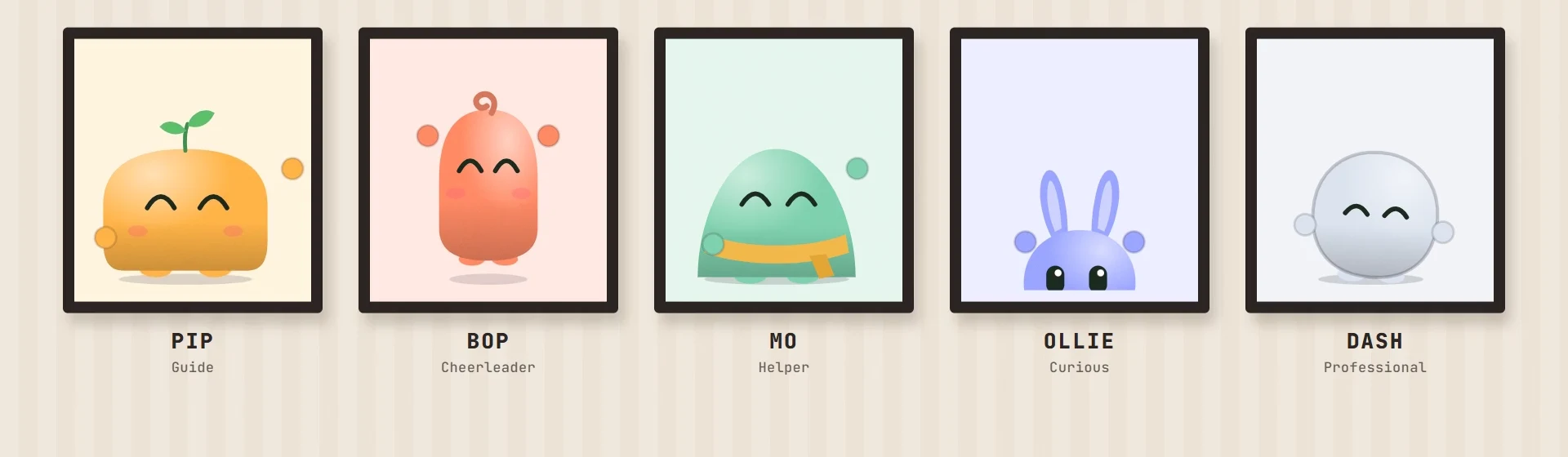
Pip the guide · Bop the cheerleader · Mo the helper · Ollie the curious one · Dash the professional
Running a serious corporate site? Skip the character and use clean lines only. Same attention, zero cartoon.

Why I built Liven
"I've built Divi websites and plugins since 2017. Again and again I watched visitors scroll straight past the one button that paid the bills. Better colors helped a little. What was missing was someone to point. So I built a small one."
Rubait Hasan
Founder & Product Builder, HappyDivi
Compatibility
Works with the builder and forms you already use
Divi 5.13.1+ and Elementor 3.30+. One license covers both builders.
Divi 5
Elementor
WooCommerce
Divi Contact Form
HappyDivi Form
Contact Form 7
WPForms
Fluent Forms
Gravity Forms
Launch pricing
Hire your guide once. Keep it for life.
Every plan includes every cue, every character and Site feel, for Divi 5 and Elementor. No add-ons, no locked features.
Pay once
Single site
For your own website. Regular price $99.- 1 website
- Every cue, character and Site feel setting
- Divi 5 and Elementor
- Lifetime updates and support
Unlimited sites
For freelancers and agencies. Regular price $299.- Unlimited websites, client sites included
- Every cue, character and Site feel setting
- Divi 5 and Elementor
- Lifetime updates and support
Or pay yearly
Single site, yearly
The lowest price to start.- 1 website
- Every cue, character and Site feel setting
- Divi 5 and Elementor
- 1 year of updates and support
Unlimited sites, yearly
For freelancers and agencies.- Unlimited websites, client sites included
- Every cue, character and Site feel setting
- Divi 5 and Elementor
- 1 year of updates and support
30-day money-back guarantee
Put Liven on your real site and watch how visitors move. If it isn't right for you, ask within 30 days and you get every cent back.
Launch prices. Your cues keep working even if your licence ends; a licence turns on updates and support.
FAQ
Questions people ask before they hire Liven
What is Liven?
Liven by HappyDivi is a WordPress plugin for Divi 5 and Elementor that gives your website a small animated guide and hand-drawn highlights. It points visitors to the content and buttons that matter, shows them how interactive elements work, and reacts when they click or send a form.
What problem does Liven solve?
Most visitors skim instead of reading, so they miss offers, proof, FAQs and call-to-action buttons. Liven directs their attention to the parts you choose, so fewer visitors leave without seeing what you wanted them to see.
How is Liven different from popups, chatbots or animation plugins?
Popups interrupt, chatbots wait for a question, and animation plugins decorate. Liven guides: it points at content already on your page, at the moment a visitor reaches it, without blocking the page or moving focus.
Will Liven increase my conversions?
Liven makes sure visitors notice your offer, your proof and your button. We can't promise a number for your site, so try it on your real pages, compare in your own analytics, and use the 30-day money-back guarantee if it isn't right for you.
Do I need to write any code?
No. You add cues from the Liven tab on any element in the Divi 5 Visual Builder or the Elementor editor. Four questions, four clicks, and the cue plays right there in the canvas.
Which versions of Divi and Elementor does Liven need?
Divi 5.13.1 or newer, or Elementor 3.30 or newer. If you have both, Liven works in each. Liven does not support Divi 4.
Will it slow my website down?
Liven loads only on pages that have cues, in small pieces, and the characters are SVG, so there are no extra images or fonts to download.
Will the animations annoy my visitors?
Cues are short and play only when something is worth pointing out. Visitors can pause animations or press Esc, people who prefer reduced motion see still hints, and Calm pace plays one cue at a time.
Which form plugins does Liven work with?
Divi Contact Form and Email Optin, HappyDivi Form, Contact Form 7, WPForms, Fluent Forms and Gravity Forms, in Divi and Elementor. The form must submit without a page reload; in WPForms and Gravity Forms, turn on AJAX submission.
Does Liven work with WooCommerce?
Yes, in the Divi 5 Visual Builder. Liven knows Divi's WooCommerce modules: it can point at Add to Cart, open Product Tabs, slide Related Products, and circle or stamp the price, rating or stock.
Does Liven collect visitor data or set cookies?
No. Liven sets no cookies and sends nothing about your visitors. Your wp-admin checks the license about once a week, and that's all.
What happens if my license expires or I uninstall Liven?
Your cues keep working without a license; the license turns on updates and support. If you delete Liven, cues stay saved in your page content and simply do nothing.
Websites don't have staff. Now yours does.
Give your Divi or Elementor site a guide that points, shows and cheers. Set it up in four clicks today.
30-day money-back guarantee · Pay once, use it for life