Conditional Logic
Show or hide fields based on earlier answers, so visitors only see what applies to them.
Conditional logic is included in the free version. Hidden fields are not validated and are not saved with the entry.
Add a Rule#
- Add the field that asks the question, such as a Select field with a clear Field ID.
- Open the field you want to show or hide, then open Conditional Logic.
- Choose Show or Hide, then pick the trigger field, an operator and a value.
- Save, then test on the live page.
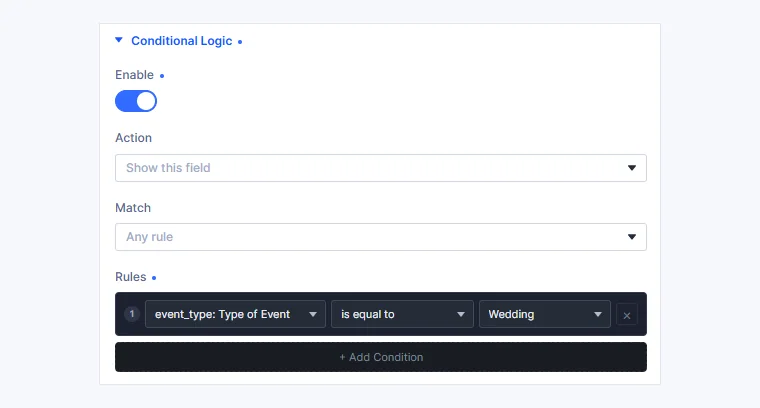
A rule that shows this field for one answer.
Use More Than One Condition#
Add more conditions and choose whether all or any of them must match.

Only the fields the visitor saw are saved.
Rules for emails and results
Field rules change what the visitor sees. To change who gets emailed, use notification conditions. To change what happens after submit, use Success Rules.
For a full worked example, read how to add conditional logic to a Divi contact form.