The best way to stop Divi contact form spam is in layers: invisible checks such as a honeypot and rate limits, a blocklist for repeat offenders, a spam folder for mistakes, and an invisible CAPTCHA only if a busy form still gets hit.
The usual reaction is to add a puzzle CAPTCHA. That stops some bots and annoys every real visitor, especially on a phone. One single check also means one weakness lets everything through.
Divi's own Contact Form includes a simple math captcha and can connect a spam protection service. That is fine for light spam, but it has nowhere to keep the messages it catches. Here is how to go further, one layer at a time.
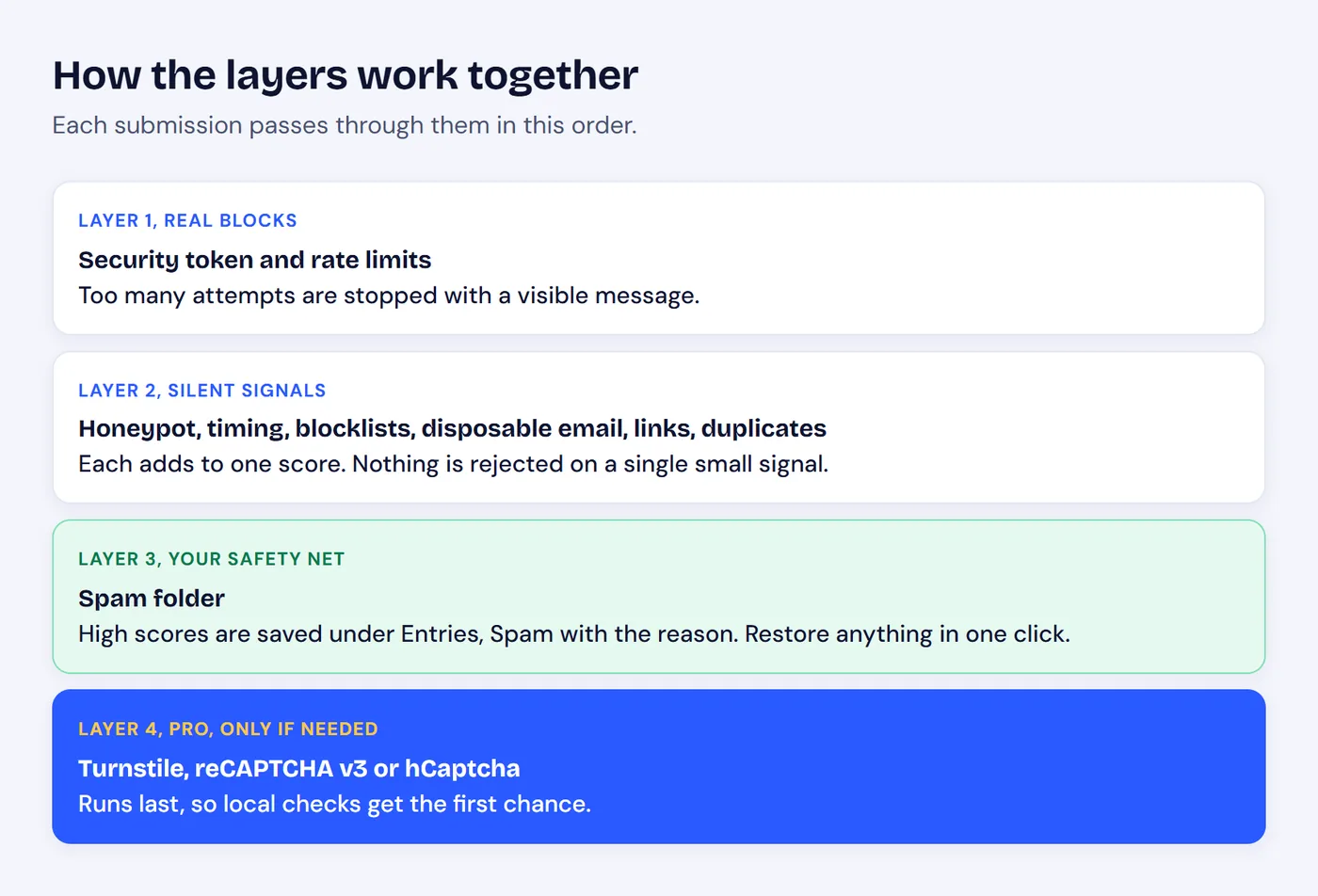
Each submission passes through the layers in this order.
Layer 1: Turn On the Invisible Checks
With HappyDivi Form, these run on the free version. Some are on from the start, and you turn on the rest under Settings → Security.
| Check | What it catches | Default |
|---|---|---|
| Honeypot | Bots that fill in a hidden field | On |
| Timing | Forms completed in under 3 seconds | On |
| Rate limit | More than 5 submissions a minute from one visitor | On, adjustable |
| Disposable email | Throwaway addresses | On |
| Email and keyword blocklists | Senders and phrases you choose | Empty until you add them |
| Link limit | Messages stuffed with URLs | Off |
| Duplicate windows | The same email or message sent repeatedly | Off |
| JavaScript check | Bots that never run page scripts | Off |
Most of these work together rather than alone. Each one adds to a single score, so a submission that barely passes each test but looks suspicious overall can still be caught.
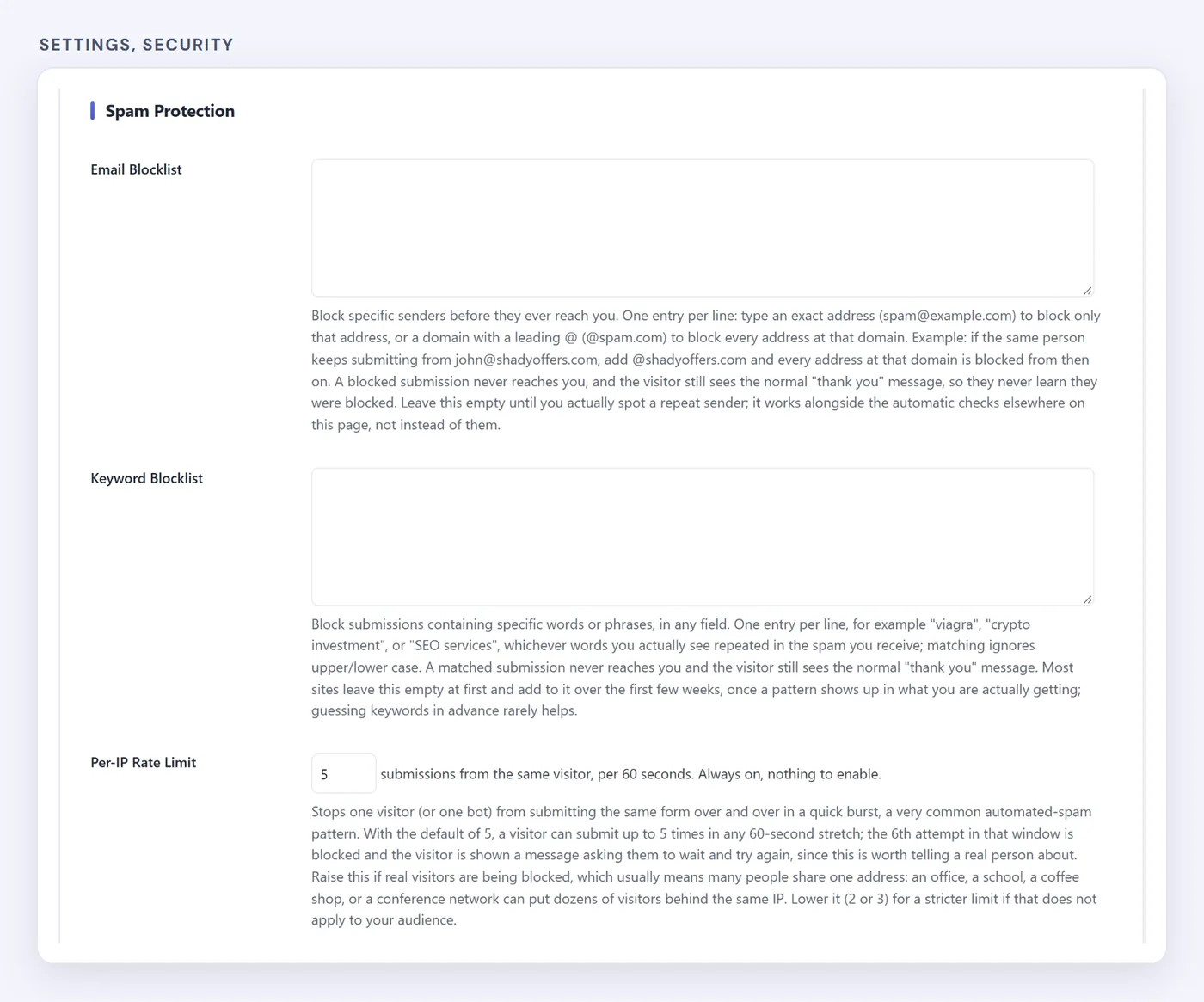
Under Settings, Security. Leave the blocklists empty until you see a real pattern.
Do not guess keywords
Start with empty blocklists. After a few weeks, add the phrases you actually see. Guessing words like "free" or "offer" in advance risks blocking real customers.
Layer 2: Quarantine Spam Instead of Deleting It
Every filter makes the odd mistake. The real danger is a filter that throws messages away, so a real customer caught by accident is gone forever.
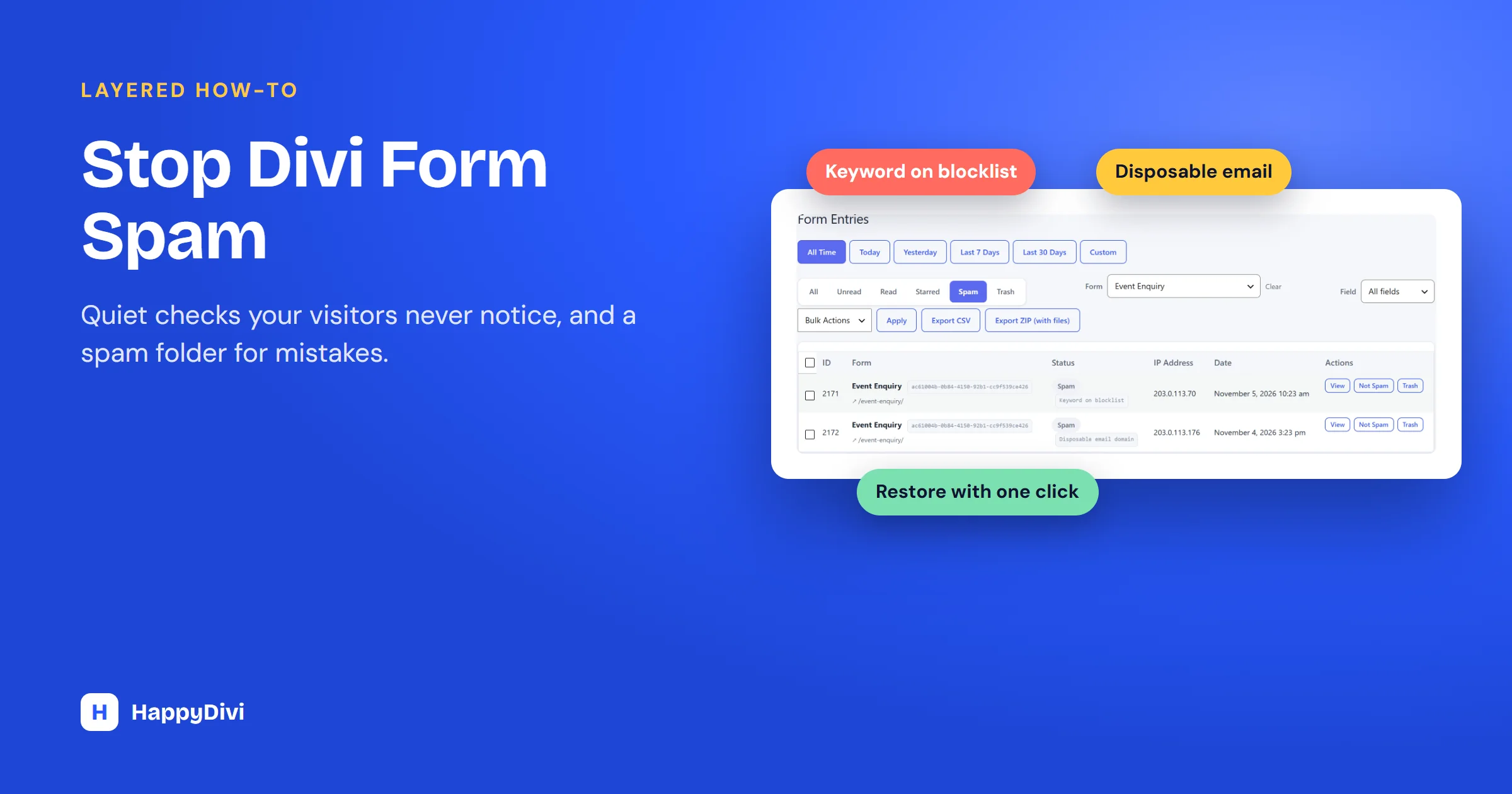
HappyDivi Form saves caught submissions under Entries → Spam with the reason. If a real message lands there, click Not Spam. The sender sees a normal success message either way, so bots never learn which check caught them.
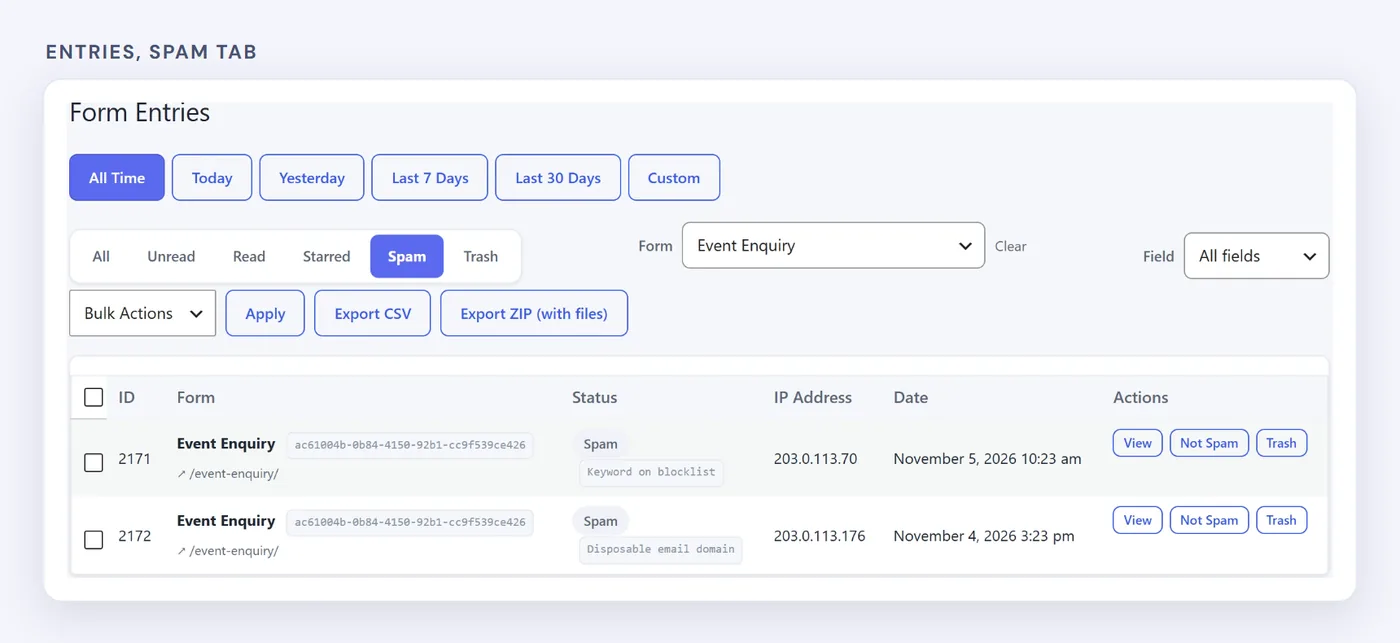
Each caught entry shows why. These are demo entries from our test site.
Good habit
Check the Spam folder weekly for the first month. If the same kind of real message keeps landing there, loosen the rule that caught it.
Layer 3: Add a CAPTCHA Only If You Still Need One
For most sites, the steps above are enough. If a busy form is still being targeted, Pro adds three services:
- Cloudflare Turnstile: free and privacy-friendly. A strong default.
- reCAPTCHA v3: score-based and invisible, with a threshold you can adjust.
- hCaptcha: a privacy-focused alternative.
CAPTCHA runs last, so the free local checks get the first chance. You also choose what happens if the service is unreachable: let submissions through or block them.
Spam Protection Compared
| Protection | Divi Contact Form | HappyDivi Form |
|---|---|---|
| Math captcha | Yes | No, invisible checks instead |
| Honeypot and timing | No | Yes, free |
| Rate limiting | No | Yes, free |
| Blocklists and disposable email | No | Yes, free |
| Spam folder with reasons | No, no entries are saved | Yes, free |
| CAPTCHA service | Yes, through its spam protection setting | Turnstile, reCAPTCHA v3 or hCaptcha (Pro) |
We checked Divi's column against the settings in Divi 5.15.1. Divi can change, so check your current version.
Frequently asked questions
How do I stop spam on my Divi contact form without a CAPTCHA?
Use invisible checks: a honeypot field, a timing check, rate limiting and blocklists. Together they stop most automated spam without asking visitors to do anything.
Will spam protection block real customers?
Any filter can make mistakes, which is why caught messages should go to a spam folder you can check rather than being deleted. In HappyDivi Form, you restore a false positive with one click.
Which CAPTCHA is best for a Divi form?
Cloudflare Turnstile is a strong default: free, privacy-friendly and usually invisible. reCAPTCHA v3 is also invisible and lets you tune its score threshold.
Will this stop a person typing spam by hand?
Not always. Invisible checks target bots. For persistent human spam, use your blocklists and the duplicate windows.
From HappyDivi
HappyDivi Form
Saves every entry inside WordPress, so a lead never depends on an email arriving.
- 22 field types, multi-step forms and conditional logic
- Native Divi 5 module
Free plan available
Also read: Divi contact form not sending email? Every fix.
From HappyDivi
HappyDivi Form
Saves every entry inside WordPress, so a lead never depends on an email arriving.
- 22 field types, multi-step forms and conditional logic
- Native Divi 5 module
Free plan available