

HappyDivi Form is the only contact form plugin built as a genuine Divi 5 native module from the ground up. Every field lives in the Divi layer panel like any other module. Drag it, duplicate it, style it, make it conditional. No separate form builder to learn. No settings panel floating outside the Visual Builder. Just Divi, working the way you already know it.
But the real difference shows up after someone hits Submit.
Most contact forms stop there. They send an email, show a generic "Thank you" message, and leave everything else up to you. HappyDivi Form keeps working. The right person on your team gets notified automatically. The visitor gets a confirmation so they know their message landed. And if you have different services or departments, each inquiry can go to exactly the right inbox without anyone sorting through a shared mailbox.
You can also control what the visitor sees after they submit. Show a different success message depending on what they selected. Redirect them to a specific page. Or both. A visitor who chose Web Design sees something different from one who chose SEO. That small detail makes your site feel more considered, and your business feel more responsive.
This article covers every feature in HappyDivi Form, how each one works with real examples, and how it compares to Divi's built-in contact form and the Divi Contact Form Helper plugin by Pee-Aye Creative. Every item is verified against the actual plugin codebase as of version 1.0.0. Nothing here is aspirational.
1. 20 Field Types: Free and Pro
HappyDivi Form ships 20 registered field types: 12 available free, 8 requiring Pro. Every field type is a separate Divi child module with its own settings panel. Pro field types are simply not registered on a free install, so they degrade gracefully rather than showing a broken field.
Every single field shares these base capabilities, inherited from the core field class:
- Optional label with automatic required-asterisk indicator. A blank label renders no label element at all, not just a visually hidden one.
- Corner required-marker fallback: if a field has no visible label but is required, a floating asterisk appears in the field corner.
- Label position: Top (default) or Inline (label and control share one flex row).
- Custom placeholder text, per field.
- Help text line, wired into
aria-describedbyfor accessibility. - Field width: Full, Half, Third, or Quarter. Genuinely Divi-responsive, collapsing to full width under 640px.
- Conditional show/hide based on another field's value (all 9 operators, dual-layer enforcement).
- Dynamic prefill from a URL parameter, logged-in user profile, or current date/time. Resolved client-side so page caches never leak data between visitors.
- Custom validation messages with
{min},{max}, and{count}placeholder substitution, enforced on both client and server. - Prefix and suffix text adornments outside the input box.
- Character or word counter: live "used / max" display.
- Field icon: decorative glyph beside the label or inset inside the input. Pro only. Pro
- Auto-Format input masks for digit formatting as the visitor types. Pro only. Pro
- Smart Autofill: correct autocomplete token on each field for one-tap browser fill on mobile. Pro only. Pro
Free Field Types (12)
Pro Field Types (8)
2. Field UX: Labels, Placeholders, Help Text, Icons, and Counters
Every field exposes a consistent set of text and UX options available on all 20 types.
Labels
Labels are optional. When present, a proper HTML label element linked to the field's input by ID is rendered for accessibility. When left blank, the label element is omitted entirely, not just hidden. Label position can be Top (default, stacked above the field) or Inline (label and control side by side). Required fields get an automatic asterisk indicator, independently styled in the Design tab.
Custom Placeholder Text
Every field accepts custom placeholder text visible inside the input before the visitor types. Styled independently via the Brand Colors Placeholder Text token or the Font Styles Design group. Supports responsive and hover-state variants through Divi's standard controls.
Help Text
An optional help text line appears below the field input, wired into aria-describedby so screen readers read it alongside the field label. When a character counter is also active, they share one combined line rather than stacking.
An email field has help text: "Use your company email address. If you do not have one, use your personal email." Screen readers announce this automatically when the visitor focuses the field.
Field Icons Pro
Any field can display a decorative icon beside the label or inset left or right inside the input box. Color and size are Design tab tokens. Composite fields like Name and Address give each sub-part its own glyph while sharing one placement, color, and size setting at the parent level.
Character and Word Counters
A live "used / max" counter below the field when enabled. Character mode or word mode. Available on Text, Textarea, and any open-text field. Shares one line with help text when both are active.
Prefix and Suffix Adornments
Text adornments appear outside the input box, attached to the left or right side: currency symbols, units, context labels. Stackable with a field icon on either side. Both have independent Design tab styling.
3. Conditional Logic: Show or Hide Fields Based on Answers
Conditional logic is available on all 20 field types on both free and Pro plans. Any field can be shown or hidden based on the value of any other field on the same form. This feature is available in the free tier with the full operator set.
9 Comparison Operators
- Is and Is Not: exact match or mismatch.
- Contains and Does Not Contain: partial text match.
- Starts With and Ends With: prefix/suffix match.
- Is Empty and Is Not Empty: presence check.
- Is Greater Than and Is Less Than: numeric comparison.
Multi-value source fields (checkbox groups, multi-select) are handled correctly: "Is" and "Contains" check membership in the selected set, "Is Empty"/"Is Not Empty" check whether any option is selected at all. Multiple rules per field with an ALL or ANY relation. Action is Show or Hide (Hide inverts the rule outcome).
Dual-Layer Enforcement
The same rule logic runs both client-side (instant show/hide, no page reload) and server-side independently at submission time. A visitor cannot force a hidden field's value through by manipulating the DOM. Hidden fields are excluded from validation server-side, so a hidden required field never blocks submission. This same evaluator is reused for notification block conditions and conditional success messages.
A support form has a Radio "What is your issue type?" with options: Billing, Technical, Other. Three Textarea fields are each set to show only when the Radio matches their topic. The visitor sees one message field at a time. Hidden Textareas are excluded from validation entirely.
A real estate enquiry form shows a "Preferred Viewing Date" Date field only when "I would like to arrange a viewing" is selected. When any other option is selected, the date field disappears and its required validation is suspended automatically.
4. Dynamic Prefill: Fields That Fill Themselves
Any field can be prefilled from one of three sources. Resolution happens entirely client-side so a cached page never leaks one visitor's data to another.
- URL query parameter: maps the field to a named URL parameter. The default key is the field's own ID when left blank.
- Logged-in user profile: maps to the current user's first name, last name, email, display name, or other profile data. Blank for logged-out visitors.
- Now: pre-sets a Date or Date/Time field to the current moment when the form loads.
An email campaign links to a quote form with ?name=Sarah&email=sarah@company.com in the URL. The Name and Email fields are prefilled automatically. Sarah sees a form that already knows who she is, reducing friction and increasing completion rate.
A logged-in members' feedback form prefills Name from the user's WordPress display name and Email from their account email. They only fill the actual feedback fields.
5. Calculated Field and Per-Option Pricing
The Calculated Field is one of HappyDivi Form's most distinctive features. Nothing equivalent exists in Divi Contact Form Helper or Divi's own contact form.
Per-Option Pricing
Select, Checkbox, and Radio fields let you assign a numeric price to each option in the visual options editor. The price is available to the formula engine. Toggle fields have a single price that contributes only when the toggle is on. Multi-select and checkbox fields sum the prices of all selected options.
Formula Engine
Formulas are built using a visual interface referencing sibling fields by name. The parser supports addition, subtraction, multiplication, division, and parentheses. Nested Calculated fields work up to 8 levels deep with a cycle guard. Division by zero returns 0.
Tamper-Proof Server Recomputation
When a form is submitted, every Calculated field's submitted value is unconditionally overwritten server-side. A visitor editing the hidden input or modifying JavaScript pays the correct amount regardless. This is what makes Stripe payment amounts trustworthy.
A Slider captures "Number of employees" (1 to 500). A Radio captures "Coverage level" (Basic: $12/employee, Standard: $18/employee, Premium: $28/employee). A Calculated Field shows the monthly premium estimate: employees times coverage price. The account manager follows up knowing the ballpark cost already.
6. Validation: Custom Error Messages and Dual-Layer Enforcement
Divi's contact form shows a generic error at the top of the page with no indication of which field failed. HappyDivi Form places every error directly under the field that caused it, in text you write yourself.
Per-Field Custom Error Messages
Every field has two independent message slots. The Required message appears when a required field is left empty. Default is "This field is required." You can write "Please enter your email so we can get back to you." The Invalid format message appears when a value is present but fails validation. Placeholders {min}, {max}, and {count} are substituted with the actual configured values in both messages.
Composite Field Error Attribution
For Name and Address fields, errors are attributed to the specific sub-part that failed. "First Name is required" appears under the first name input. "Postal Code is not valid for the selected country" appears under the postal input.
General Validation Message
A form-level custom message shown above the field-level errors when any field fails. Useful for a branded, reassuring message like "Please check the fields below and try again."
Show Error Summary Toggle
Suppresses the top-of-form error banner for field-level validation failures (since inline errors cover that case). System-level errors (CAPTCHA failure, server error) always show a banner regardless, since they have no inline fallback.
Live Validation on Blur Pro
Each field is validated the moment the visitor moves focus away from it. A green check or a red error message appears immediately, before the visitor reaches the submit button.
Dual-Layer Architecture
Client-side validation runs first for instant feedback. Server-side validation runs independently every time, regardless of what the browser reported. All field errors are collected before returning, so a visitor fixes every mistake in a single round-trip.
7. Email Notifications: CC, BCC, Routing, and Conditional Logic
Email is where HappyDivi Form most dramatically outpaces every competitor in the Divi ecosystem. The free tier includes what most plugins charge for. Pro adds a notification system that matches Gravity Forms in depth.
Free Tier: Two Notification Blocks Per Form
Every form automatically has an Admin Notification and a Confirmation Email to the submitter. Both are configurable via global Settings and support full merge tags.
Pro Tier: Unlimited Per-Form Notification Blocks
An unlimited, ordered repeater of fully independent per-form notification blocks. Each block has its own:
- Enabled toggle: turn a block on or off without deleting it.
- Send To type: a fixed email address, the site admin, the submitter's email (auto-detected), or the selected value of a specific Radio, Select, or Checkbox field. Field-based routing is deliberately restricted to choice fields, never free-text fields, so a submitter cannot inject arbitrary recipients by controlling both the routing and the message body.
- CC and BCC recipients: comma-separated lists, each validated individually.
- Custom From Name and From Email: overrides the site-wide default for this block.
- Reply-To: always auto-set to the submitter's email, so replying to an admin notification goes to the submitter automatically.
- Subject and Body: fully merge-tag aware via the inline merge-tag picker.
- Attach Files toggle: includes every uploaded file from the submission.
- Conditions: send this block only when specified field values match a rule set. Same 9 operators. A skipped block is recorded in the notification history, not silently dropped.
Real-World Routing Examples
A company contact form has a "Department" dropdown: Sales, Support, Billing, Press. Four notification blocks are configured, each matching one department and routing to the correct team email. The Support team never receives a Sales enquiry.
A lead form has a "Budget" Slider. One notification block has the condition "Budget is greater than 10000". When a visitor selects a budget over $10,000, an extra notification fires to the sales director's personal email in addition to the standard team notification.
A workshop registration form CC's the workshop host on every registration and BCC's the event coordinator. Three recipients per submission, zero manual work per submission.
Merge Tags
Available in email subjects, bodies, and success messages. Includes %%field_{id}%% for any field value, %%hdf_all_fields%% for a formatted table of all submitted fields, %%hdf_entry_number%%, %%hdf_form_title%%, %%hdf_page_title%%, %%hdf_page_url%%, %%hdf_date%%, %%hdf_time%%, %%hdf_ip%%, and %%hdf_user_agent%%. Unknown tags are left literally in place so an old template referencing a future tag never silently loses data.
Conditional Content in Emails Pro
The {{if field operator "value"}}...{{else}}...{{/if}} syntax includes or excludes blocks of text based on submitted values. A malformed block degrades to visible literal text so a typo is safe.
A confirmation email includes a conditional block: if service equals "Photography", the email says "Your photographer will contact you within 24 hours to discuss style preferences." For any other service, it says "Our team will respond within 2 business days." One template handles both cases.
Recipient Deduplication
If the same address appears in more than one of To, CC, and BCC slots on the same block, it is kept in the first slot (To takes priority over CC, CC over BCC) and dropped from the rest. No duplicate sends.
Async Delivery Queue
Emails are never sent synchronously inside the submission request. They are queued first and the queue drains every 60 seconds with an immediate opportunistic trigger right after enqueueing. Failed sends retry automatically with backoff, up to 3 attempts. Retry attempts are non-blocking for the visitor's response.
Four Email Delivery Providers
WordPress default wp_mail, custom SMTP (encrypted credentials), Brevo, and Postmark. The plugin detects FluentSMTP, WP Mail SMTP, Easy WP SMTP, Post SMTP, SendGrid, and Mailgun, and defers to whichever is already active so two SMTP configurations never conflict over the same PHPMailer instance.
Email Branding Pro
Logo with configurable max width, footer closing line, footer signature with optional image in four positions (left/right as a 2-column table, above/below as a stacked block), and a social links row for Facebook, Twitter/X, Instagram, LinkedIn, and YouTube. Rendered as gradient pill badges with a flat-color fallback for Outlook.
Notification History and Resend
Every send attempt is logged per entry: recipient, delivery status, timestamp, and real error message if it failed. Visible in the entry detail view and on the site-wide Email Log admin page. A Resend button rebuilds the email from stored entry data and the form's current settings, so a corrected template or SMTP configuration is used on resend.
8. Entries: How Every Submission Is Stored and Managed
Divi's contact form stores nothing. If the email bounces, the lead is gone. HappyDivi Form saves every entry to custom database tables before the email even leaves the server. This is fully available on the free tier.
Custom Database Tables
Entries are stored in 9 dedicated tables built specifically for this purpose, not as WordPress post meta or custom post types. Every field value is its own database row, so individual fields are independently queryable and exportable. The entry itself (status, IP, UTM, page context, user ID) sits in one table, and the field values sit in a separate meta table. This means a new field type can define its own storage shape without touching the storage layer, and deletes cascade automatically across related tables.
Entries Admin Inbox
A triage-style inbox with status tabs covering All, Unread, Read, Starred, Spam, and Trash. Payment lifecycle states (pending, paid, failed, refunded) are kept off this tab bar and live on the separate Orders page, so a non-payments site's Entries screen stays uncluttered. Filter by form (grouped by title), filter by date range with an explicit "All Time" option. Bulk actions include Star, Unstar, Trash, Restore, and permanent Delete (offered only from the Trash tab). Unread rows are visually highlighted.
Entry Detail View
Each entry detail view shows the form it came from, submission date, quarantine reason (if applicable), payment summary (if applicable), IP address, and the source page URL. Submitted fields display as a formatted table per field type: composite fields like Name and Address are assembled into readable rows, multi-line text renders with real line breaks. File download links appear for uploaded files, secured by a capability-gated REST endpoint. Viewing an entry marks it read automatically. The Notification History panel logs every send attempt for that entry with a one-click Resend option.
Spam Quarantine
A submission blocked by a soft spam signal is saved to Entries with status "spam" and the specific signal(s) recorded in plain English. It is not silently discarded. One click restores a false positive to "unread". The submitter always sees an identical success response whether their submission was quarantined or not, so bots cannot learn what caught them.
UTM and Page Context Capture
Every entry automatically captures utm_source, utm_medium, utm_campaign, the page ID, the page URL, and the referring URL. No extra configuration needed. This is stored in the entry row, not in a separate meta table, so it is always present in the entries list without extra joins.
CSV and ZIP Export Pro
Export respects whatever filters are currently active: status, form, and date range. CSV headers are the union of every distinct field label across the exported entries, so exports spanning multiple forms work correctly. ZIP export bundles the CSV alongside every uploaded file referenced by the exported entries, named descriptively (entry ID, field name, original filename). The export is streamed directly to the browser, never buffered in PHP memory, so large exports complete reliably. Every CSV cell value is guarded against spreadsheet formula injection. A UTF-8 BOM is emitted first so Excel correctly detects encoding for accented characters.
GDPR and Privacy Tools
WordPress-native Personal Data Exporter and Eraser are registered, so any admin can fulfill right-of-access and right-to-erasure requests through the standard WordPress Tools screen. IP handling is applied at write time: full IP, anonymized last octet, or no IP at all, per the site's configured policy. Never stored full and redacted later. Suggested privacy policy text is auto-appended to WordPress's Privacy Policy guide, adapting its wording to the site's actual configured settings (only mentioning the localStorage analytics flag when Full recognition mode is actually turned on).
Entry Retention Auto-Delete Pro enforcement, visible on every tier
A global retention window in days, with a per-form override (Use Global Default, Keep Forever, or Delete After N Days configured in the parent module's Form Settings). Entries are purged automatically by a daily background job. The setting is visible and savable on the free tier so a site owner can configure it before upgrading, and it takes effect immediately on upgrade without any reconfiguration.
9. Spam Protection and Security
HappyDivi Form runs 12 independent spam signals on every submission. Rather than rejecting on the first signal that fires, all signals run and contribute a weighted score. A submission only reaches the spam quarantine when the combined score passes a configured threshold. This catches submissions that narrowly pass each individual check but look suspicious in combination, which a simple first-signal-rejects-all design cannot see. Both the per-signal weights and the overall threshold are filterable for site-specific tuning.
The 12 Spam Signals
- Nonce verification. A real block. Forging a valid WordPress nonce is not feasible for a bot.
- Minimum time with HMAC-signed timestamp. A submission arriving under 3 seconds from page load is a spam signal. The render timestamp is HMAC-signed so a direct-POST bot cannot fabricate a valid elapsed time.
- Per-IP rate limit. A real block. Default 5 submissions per form per IP per minute, admin-configurable.
- Per-form global rate ceiling. A real block. A backstop against volume abuse spread across rotating IPs. Default 60 per minute per form, logged separately from per-IP blocks so an admin can tell the two apart.
- Honeypot field. Randomized per-render using an HMAC-derived name, not a fixed pattern a bot familiar with the plugin could learn to skip. Hidden via CSS, never as type="hidden" (which bots specifically skip filling).
- JS-execution proof. Opt-in. A cryptographic challenge proving the visitor's browser executed JavaScript. Failures are soft signals, never hard blocks, because a real visitor with JavaScript disabled should not be locked out.
- Email blocklist. Admin-curated exact addresses or @domain.com patterns.
- Disposable email domain detection. Checks against a bundled list of temporary email providers. On by default. Near-zero false positives since no legitimate follow-up is possible with an address that expires in minutes.
- Keyword blocklist. Admin-curated terms that trigger a spam signal when found in any text field.
- Link detection. Configurable maximum link count across all text fields. Off by default.
- Duplicate submission by email. Configurable time window. Off by default.
- Content-hash duplicate detection. Hashes all text field values together, catching a spam blast that rotates the sender's email but repeats the same message body. Off by default.
CAPTCHA Pro
Three providers: Cloudflare Turnstile (with Appearance Mode: Managed, Non-interactive, or Invisible, and Theme: Auto, Light, or Dark), reCAPTCHA v3 (score-based, invisible, configurable score threshold), and hCaptcha. CAPTCHA always runs last, after all free local checks, so an expensive outbound HTTP call is not made for submissions that local checks would quarantine anyway. Fail mode is admin-configurable: allow through or hard block when the provider is unreachable. A provider configured with only one key is treated as off, never as an unpassable block. Secrets are stored encrypted at rest, decrypted only at verification time.
File Upload Security Pipeline
Every uploaded file passes six checks before storage, regardless of how the field's allow-list is configured:
- Every dot-segment of the filename checked against a permanent, non-overridable blacklist: php, php3-7, phtml, phar, exe, sh, bat, cmd, js, svg, html, asp, jsp, and more. Catches double-extension tricks like "shell.php.jpg".
- Extension must be in both the field's admin-configured allow-list and the plugin's hardcoded safe extension-to-MIME map. A field cannot be configured to accept an unrecognized extension at all.
- Real-content MIME sniffing via raw-byte inspection. Catches "shell.php renamed to shell.jpg".
- MIME variance tolerance: each extension maps to an array of accepted sniffed types, not a single exact string, because real-world encoders disagree (a genuine DOCX often sniffs as application/zip, a genuine CSV often sniffs as text/plain).
- OOXML structural verification: DOCX, XLSX, and PPTX files that sniff as generic ZIP are verified against their internal marker files. An arbitrary ZIP renamed to .docx is still rejected.
- Size ceiling, enforced after all content checks.
Files are stored under cryptographically random filenames (128 bits of entropy). The only download path is a capability-gated REST route with a forced attachment disposition. Files are never directly web-accessible. The upload directory .htaccess deny-all file is checked and restored automatically whenever missing, surviving migrations, security plugin "cleaning" jobs, or raw folder copies between environments.
General Security Hardening
Nonce and capability check on every admin and REST action. Every output escaped at render time. Every database query parameterized, every LIKE term escaped. All API keys, SMTP passwords, Stripe keys, and CAPTCHA secrets stored encrypted at rest, decrypted only at call time. A spam check never reveals its specific reason to the submitter, only to the admin in the Spam tab.
10. Stripe Payments Pro
HappyDivi Form includes a complete Stripe payment system with no separate plugin and no WooCommerce dependency.
Core Design: Tamper-Proof by Construction
The charged amount is always computed server-side. In Fixed price mode, it is an admin-set constant that never touches the form. In "From a form field" mode, it is re-evaluated server-side from the raw submitted values using the same formula evaluator as the Calculated Field. A visitor who edits the hidden price input or manipulates JavaScript pays the correct amount regardless. Card data never touches your server (no PCI scope). The payment status only ever advances via a signature-verified webhook, never via the visitor-facing return URL.
Submission Flow
A payment-gated submission is saved to the database immediately as "pending". Notification emails are withheld until Stripe's webhook confirms payment. On confirmed payment, the entry status updates to "paid" and notifications fire. An abandoned checkout leaves an entry in the database as "pending" with no email sent and no notification triggered.
Reliability
An hourly cron reconciles any submission stuck as "pending" for more than 25 hours by checking the gateway directly. A lost webhook self-heals within an hour. A manual "Check Status" button in the entry view lets an admin unstick a specific payment immediately. Refunds can be issued with one click from either the Orders page or the entry detail view. Every status transition fires an extensibility hook only on a genuine state change, so duplicate webhook deliveries are safe no-ops.
Auto-Webhook Setup
Saving a Stripe key registers the plugin's webhook endpoint with Stripe's API automatically. No manual setup in the Stripe dashboard. Test and Live modes are kept fully separate with their own key pairs.
A photographer's booking form uses Radio Cards to select a session package (Mini: $250, Standard: $450, Premium: $800). The visitor selects a date using the Date field, chooses their package, and submits. They are redirected to Stripe's hosted checkout. On confirmed payment, the photographer receives an admin notification with the booking details and the client receives a confirmation email with their session date and package. The Orders page shows every booking with payment status at a glance.
11. Form Analytics
Analytics recording runs on every plan, free and Pro. The analytics dashboard is Pro-only. This means when you upgrade, historical data is already waiting in the dashboard from the first day the plugin was installed.
Cookieless by Design
No cookies, no localStorage by default, no IP addresses stored, no user-agent stored. Visitor recognition uses a server-side daily-rotating salted HMAC hash computed per-request and never stored in reversible form. Two optional switches: Anonymous mode (default, same-day deduplication from the rotating hash) and Full mode (adds a small first-party localStorage flag for cross-day returning-visitor detection, disclosed in the auto-generated privacy policy text). Submissions are always counted server-side inside the submission handler, never client-reported, so they cannot be spoofed or blocked by an ad blocker.
What Is Recorded
- Views: deduplicated within a 30-minute window, classified as New or Returning.
- Submissions: counted server-side at the exact moment an entry is saved. A true, exact count.
- Field interactions: which fields a visitor actually reached, batched into a single beacon per flush.
- Abandonment: the last field a visitor touched before leaving without submitting. The funnel covers every field in form order, including fields with zero drop-off, so the entire path is visible.
- Peak hour (0-23, site timezone) and weekday distribution.
Analytics Dashboard Pro
- Headline stats: total Views, total Submissions, Conversion Rate.
- Trend chart: views and submissions plotted over the selected date range.
- Peak Hours panel: submission volume by hour of day.
- New vs. Returning visitor split with percentage breakdown.
- Top Countries (up to 8) when geo is enabled.
- Field Drop-off funnel: every field in form order showing how many visitors reached it and how many left without submitting. A visual indicator marks the drop-off share per field so the abandonment bottleneck is immediately obvious.
- Per-form breakdown table: Views, Submissions, and Conversion Rate per form.
The analytics funnel reveals that 68% of visitors who start a lead form abandon at the "Phone Number" field. Making the phone field optional increases the conversion rate by 22% in the following month. Without the field-level funnel, this bottleneck would have been invisible.
12. Visual Builder: Brand Colors, Design Tabs, and Custom Components
HappyDivi Form is built entirely on Divi 5's native declarative module system with two registered modules: a parent form module and a child form field module. Both use Divi's own Content, Design, and Advanced tab structure, responsive controls, hover states, global presets, and Theme Builder support, with zero custom code required to surface any of it.
Brand Colors System
A single "quick design" panel at the form level, tabbed by Color, Hover, and Focus states. Setting your accent color drives every interactive control: buttons, focus rings, the slider track, the toggle switch, checkboxes, radio buttons, and the star rating. Other Brand Color tokens include field background, field text, placeholder text, field border (at rest and on focus), label text, button colors, and rating star states. Set once, inherited by every field on the form. Individual fields override these defaults where needed. Nothing uses !important, so the cascade remains fully controllable.
Full Design Tab on Every Element
Not just the field input: the label, placeholder text, help text, success message box, error message box, and the submit button each have their own full Font, Background, Border, Box-Shadow, and Spacing controls, all with Divi's standard responsive and hover-state toggles. The cascade is: Brand Colors, then per-element Design groups, then per-instance controls for Pro field types.
Genuinely Responsive Field Width
Full, Half, Third, or Quarter width, resolved against whatever real breakpoints the site has configured, not a hardcoded desktop/tablet/phone assumption. Uses Divi's own Breakpoint API in both the Visual Builder canvas and on the live frontend. Collapses to full width under 640px automatically.
10 Custom Visual Builder Components
Where Divi had no stock control that covered the need, a purpose-built React component was registered into Divi's field-component registry:
- Conditional logic rule builder
- Calculated Field visual formula builder
- Searchable sibling-field picker (used by conditional logic, formula references, payment amount field selector)
- Available/unavailable date-list editor for Date/Time fields
- Merge-tag single-line input with inline picker
- Merge-tag multi-line textarea with inline picker
- File upload extension category toggle and per-extension picker
- Always-visible inline help note (Divi's own description property is a click-only tooltip; this fills the gap)
- Per-form notification block repeater (Pro)
- Success Rules ordered editor (Pro)
Live Canvas Preview
The Visual Builder renders the same class-based markup as the published frontend. Dragging fields, changing colors, switching display modes, and toggling conditional logic all update the canvas in real time without a reload.
Auto-Seeded Starter Fields
Adding the HappyDivi Form module to a page automatically inserts default Name, Email, and Message fields via Divi's native template mechanism. A starting form is immediately ready to configure.
Success Rules Pro
An ordered list of conditional success outcomes. The first rule whose conditions match overrides the form's fixed success action with its own message, redirect URL, and delay. Falls through to the form's fixed settings when no rule matches. Uses the same 9-operator rule set as field conditional logic and notification conditions.
A lead scoring form shows different success messages based on the visitor's budget range. Budget under $1,000: "Thanks for your enquiry. We will be in touch within 5 business days." Budget over $10,000: "Thank you. A member of our senior team will call you within 24 hours." Same form, same submit button, two Success Rules.
13. 38 Prebuilt Templates Across 16 Categories
Every template is real, working form JSON, not a screenshot or a marketing mockup. Importing one creates a fully functional Divi section in the Visual Builder's "Add From Library" picker, indistinguishable from a section you saved yourself.
The 16 Categories
Business and Lead Generation, Calculators and Estimators, Events and Community, HR and Recruitment, Service Business, Booking and Scheduling, Healthcare, Insurance, Real Estate, Automotive, Beauty and Fitness, Education, Newsletter and Subscriptions, Non-Profit, Restaurant, Surveys and Feedback.
Automatic Free/Pro Classification
A template's Free or Pro badge is computed automatically at read time by scanning the template's own JSON for any Pro field type or Pro-locked setting. The badge can never drift from reality. If a template is updated to use a Pro feature, the badge updates automatically with no manual bookkeeping.
One-Click Import via Native Divi APIs
Import creates a native Divi layout post directly via standard WordPress core APIs, not reverse-engineered Divi internals. Each field's unique ID regenerates correctly on import so two imported instances of the same form never share an analytics or entries identity. Pro-classified templates are blocked at the server level on free sites, not just hidden in the UI.
14. Developer Surface: REST API, Hooks, and Shortcode
The plugin's core engine knows nothing about Divi. It processes a submission from a plain PHP array and returns a plain PHP array. All Divi-specific code is a thin adapter. A third page builder integration would require zero changes to the core pipeline.
8 Public REST API Endpoints
POST /submit: the full form submission pipeline including security, validation, storage, and email queuing.GET /nonce: issues a fresh submission nonce for cache-safe forms. Rate-limited.POST /upload: async pre-upload for File Upload fields, validates and quarantines.GET /download/{token}: capability-gated file download for admin entry views and exports.POST /analytics: cookieless analytics beacon. Nonce-free by design (form may be on a cached page), hardened via event whitelist and per-IP rate limit.POST /payment/webhook/{provider}: signature-verified payment gateway webhook receiver.GET /payment/status/{token}: payment status lookup by opaque return token.POST /notifications/preview: backend for the Preview and Test admin tool.
26 Extensibility Hooks
Custom hdf_* actions and filters covering every stage of the pipeline:
- Submission:
hdf_field_errors,hdf_before_submission_saved,hdf_entry_data,hdf_after_submission_saved,hdf_after_emails_sent,hdf_entry_status_changed,hdf_delete_entry_data. - Fields:
hdf_register_field_types(register an entirely new field type),hdf_address_country_data. - Email:
hdf_email_provider,hdf_email_subject,hdf_email_body,hdf_email_message,hdf_merge_tags,hdf_email_drain_concurrency,hdf_smtp_timeout. - Payments:
hdf_payment_provider,hdf_payment_gateways,hdf_payment_completed,hdf_payment_failed,hdf_payment_refunded. - Security and analytics:
hdf_spam_signal_weights,hdf_spam_quarantine_threshold,hdf_rate_limit_form_max,hdf_trusted_proxies,hdf_visitor_country.
Shortcode Fallback
renders any form built in Divi in a Classic Editor post, text widget, or anywhere else shortcodes run. Reads from the same durable form definition the Divi module writes, so the form and its settings are always consistent regardless of where it renders.
Cache-Safe Architecture
A dedicated /nonce endpoint issues a fresh submission nonce on every page load so full-page caching plugins (LiteSpeed, WP Rocket, Cloudflare) can serve cached HTML without breaking form submission. The form's own settings config is resolved with a 7-day transient-then-durable-option fallback so submissions and file uploads on long-cached pages always find the correct field definitions.
15. Free vs. Pro: What You Get on Each Tier
HappyDivi Form's free tier has a real license, a real activation, and no time limit. Pro adds specific field types, specific display modes, deeper automation, payments, CAPTCHA, and the analytics dashboard. It does not withhold a second-class core experience from free users.
Everything Included on Free
- 12 field types: Text, Email, Textarea, Phone (Basic), Number, URL, Hidden, Name (all 3 formats), Select (single), Checkbox (standard list), Radio (standard list), Rating (including half stars).
- Full Divi 5 Visual Builder with Brand Colors, Font Styles, Button Settings, and full Design tab on every element.
- Conditional logic on all fields: all 9 operators, ALL/ANY relation, dual-layer enforcement.
- Dynamic prefill from URL, logged-in user profile, and current date/time.
- Custom validation messages with placeholder substitution, composite field error attribution.
- All entries stored in custom database tables before the email leaves the server.
- Full Entries admin with status tabs, triage actions, bulk actions, filters, and date range picker.
- Admin notification and confirmation email per form, with full merge tags.
- 4 email delivery providers: wp_mail, SMTP, Brevo, and Postmark.
- Async email queue with retry backoff. Third-party SMTP plugin detection.
- Email delivery log and one-click Resend per entry.
- 12 spam signals including honeypot, timing, blocklists, duplicate detection, and rate limiting.
- Full 6-layer file upload security pipeline.
- WordPress-native GDPR tools: Personal Data Export, Personal Data Erase, IP handling policy, auto-generated privacy policy text.
- Analytics recording from day one (dashboard is Pro-only, but data collects immediately).
- All 8 REST routes and all 26 extensibility hooks.
- Shortcode fallback for non-Divi pages.
- 38 templates (Free-classified ones importable on free plan).
- Preview and Test admin tool for pre-send notification testing.
- Dashboard, Email Log, and all 4 Settings tabs (Pro-only fields visible so choices persist across an upgrade).
Added on Pro
- 8 Pro field types: File Upload, Date/Time, Legal Consent, Section Break, Address, Slider, Toggle, and Calculated Field. Pro
- Pro capabilities on Free field types: Phone International mode, Select searchable and multi-select, Checkbox Chips/Addon Rows/Other, Radio Cards/Segmented Buttons/Other, Field Icons on any field. Pro
- Smart Field features: Email typo suggestion and disposable detection, Smart Name, Smart Number, Smart URL, Smart Autofill, Live Validation on blur, Auto-Format input masks. Pro
- Unlimited per-form notification blocks with CC/BCC, conditional routing, field-based recipient routing, custom From, Attach Files toggle, and block-level conditions. Pro
- Conditional content inside email bodies and subjects using the
{{if}}...{{/if}}syntax. Pro - Email branding: logo, footer signature with optional image, social links row (Facebook, Twitter/X, Instagram, LinkedIn, YouTube). Pro
- Success Rules: conditional success messages and redirects based on form answers. Pro
- CSV and ZIP export, filter-aware and streamed. Pro
- Automatic entry retention and deletion enforcement with per-form overrides. Pro
- Stripe payments: hosted checkout, tamper-proof server-side amounts, auto webhook setup, hourly reconciliation, manual Check Status, one-click Refund, Orders admin page, deferred post-payment notification dispatch. Pro
- CAPTCHA: Cloudflare Turnstile (with Appearance Mode and Theme controls), reCAPTCHA v3, hCaptcha. Pro
- Full analytics dashboard: trend chart, Field Drop-off funnel, Peak Hours, New vs. Returning split, Top Countries, per-form breakdown table. Pro
- All 38 templates importable. Pro
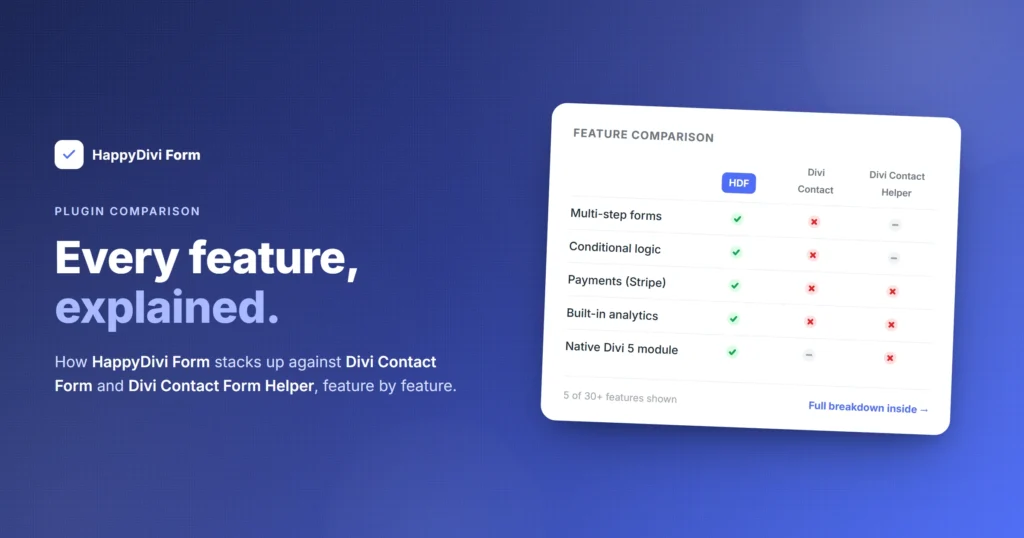
16. Full Comparison: HappyDivi Form vs Divi Contact Form vs Divi Contact Form Helper
This comparison uses only verified information from each plugin's documentation and codebase. HappyDivi Form is the plugin this article covers. Divi Contact Form is the built-in module from Elegant Themes. Divi Contact Form Helper (CFH) is the plugin by Pee-Aye Creative that adds settings to the Divi Contact Form module. The CFH feature list is sourced from the official Pee-Aye Creative feature comparison page, updated June 2026.
Divi Contact Form Helper is an add-on to the Divi Contact Form module, which uses the Divi 4 module system. HappyDivi Form is built from scratch on the Divi 5 native module system with no Divi 4 dependency. This architectural difference affects Visual Builder behavior, live preview accuracy, long-term Divi 5 compatibility, and the ability to add genuinely new field types as first-class Divi child modules.
| Feature | HappyDivi Form | Divi Contact Form | Contact Form Helper |
|---|---|---|---|
| Architecture | |||
| Divi 5 support | ✓ Purpose-built new module | ✓ | ✓ v2.0, adds settings to existing module |
| Approach | Brand new parent + child modules, full layer panel | Native module | Extends Divi's own Contact Form module with extra settings |
| Zero jQuery dependency | ✓ | Depends on Divi | ✗ |
| Cache-safe submission (dedicated nonce endpoint) | ✓ Free | ✗ | ✗ |
| Field Types | |||
| Total distinct field types | 20 (12 Free + 8 Pro) | 6 | ~10 with plugin |
| Text, Email, Textarea, Phone, Number, URL | ✓ Free | ✓ | ✓ |
| Select / Dropdown with option groups | ✓ Free | ✓ | ✓ |
| Checkbox and Radio fields | ✓ Free | ✓ | ✓ |
| Name field (composite, 3 formats incl. Extended) | ✓ Free | ✗ | ✗ |
| Hidden field with dynamic prefill | ✓ Free | ✗ | URL only, partial |
| Rating field (with half-star mode) | ✓ Free, pure CSS | ✗ | ✓ |
| File Upload field | Pro | ✗ | ✓ |
| Date and Time picker (full constraint set) | Pro | ✗ | ✓ |
| Address field (composite, country-aware, 6 sub-fields) | Pro | ✗ | ✗ |
| Calculated field (visual formula builder) | Pro | ✗ | ✗ |
| Slider / Range field with live value badge | Pro | ✗ | ✗ |
| Toggle (Yes/No switch, animated CSS) | Pro | ✗ | ✗ |
| Legal Consent / GDPR mandatory checkbox | Pro | ✗ | ✗ |
| Section Break (display, 7 divider positions, badge, anchor) | Pro | ✗ | ✗ |
| Digital Signature field | ✗ | ✗ | ✓ |
| HTML "anything" field | ✗ | ✗ | ✓ |
| Field UX and Pro Display Modes | |||
| Custom placeholder text per field | ✓ Free | ✗ | ✓ |
| Custom label text per field | ✓ Free | Partial | ✓ |
| Help text / field description (HTML supported) | ✓ Free | ✗ | ✓ |
| Field icons with Design tab styling | Pro | ✗ | ✓ |
| Prefix and suffix text adornments | ✓ Free | ✗ | ✗ |
| Character and word counter | ✓ Free | ✗ | ✓ |
| Per-option pricing on Select/Checkbox/Radio | ✓ Free | ✗ | ✗ |
| Radio: Cards and Segmented Buttons display modes | Pro | ✗ | ✗ |
| Checkbox: Chips and Addon Rows display modes | Pro | ✗ | ✗ |
| Select: searchable dropdown and multi-select with chips | Pro | ✗ | ✓ |
| Phone International mode (libphonenumber, country picker) | Pro | ✗ | Custom formatting only |
| Brand Colors system (form-wide design tokens) | ✓ Free | ✗ | Focus border only |
| Full Design tab on label, placeholder, help, button, messages | ✓ Free | Limited | Partial per-element |
| Form Logic | |||
| Conditional field show/hide (9 operators, ALL/ANY) | ✓ Free | ✗ | ✗ |
| Server-side conditional enforcement (not JS-only) | ✓ Free | ✗ | ✗ |
| Dynamic prefill from URL, user profile, and current date | ✓ Free | ✗ | URL only, partial |
| Custom validation messages per field (Required and Invalid) | ✓ Free | ✗ | ✓ |
| Inline per-field error messages (not top-of-form) | ✓ Free | ✗ Top-of-form only | ✓ |
| Live validation on blur (instant feedback per field) | Pro | ✗ | ✗ |
| Composite field error attribution per sub-part | ✓ Free | ✗ | ✗ |
| Calculated field with tamper-proof server recomputation | Pro | ✗ | ✗ |
| Success Rules (conditional success messages per answer) | Pro | ✗ | ✗ |
| Entries and Storage | |||
| Stores submissions in database | ✓ Free | ✗ | ✓ |
| Custom database tables (not CPT or postmeta) | ✓ Free, 9 tables | ✗ | ✗ Uses postmeta |
| Entry status tabs (Unread, Starred, Spam, Trash) | ✓ Free | ✗ | Mark unread only |
| Spam quarantine (stored, not silently discarded) | ✓ Free | ✗ | ✓ |
| UTM and source page capture on every entry | ✓ Free | ✗ | ✓ |
| CSV export (filter-aware, streamed, injection-guarded) | Pro | ✗ | ✓ |
| ZIP export (CSV bundled with uploaded files) | Pro | ✗ | ✗ |
| Auto-delete entries after N days (global + per-form) | Pro enforcement | ✗ | ✓ |
| Convert entry to WordPress post | ✗ | ✗ | ✓ |
| Reply to entries from admin | ✗ | ✗ | ✓ |
| Auto-backup entries to email | ✗ | ✗ | ✓ |
| Limit number of entries per form | ✗ | ✗ | ✓ |
| Email and Notifications | |||
| Admin notification email | ✓ Free | ✓ | ✓ |
| Confirmation email to submitter | ✓ Free | ✗ | ✓ |
| CC and BCC recipients | Pro | ✗ | ✓ |
| Custom From Name and From Email per block | Pro | ✗ | ✓ |
| Conditional email routing (field-based recipient) | Pro | ✗ | ✓ |
| Unlimited notification blocks with independent conditions | Pro | ✗ | ✗ |
| Conditional content in email body ({{if}} syntax) | Pro | ✗ | ✗ |
| Merge tags in subject and body | ✓ Free, 12+ tags | Form ID only | ✓ 30+ tags |
| Async email queue with retry backoff | ✓ Free | ✗ | ✗ |
| Email delivery log with real error messages | ✓ Free | ✗ | ✗ |
| Per-entry notification history and Resend | ✓ Free | ✗ | ✗ |
| 4 email delivery providers (wp_mail, SMTP, Brevo, Postmark) | ✓ Free | wp_mail only | SMTP + wp_mail |
| Detects and defers to 3rd-party SMTP plugin | ✓ Free | ✗ | ✗ |
| Email branding (logo, footer signature, social links) | Pro | ✗ | Email templates only |
| Attach uploaded files to email | Pro | ✗ | ✓ |
| Deferred notifications until payment confirmed | Pro | ✗ | ✗ |
| Spam Protection and Security | |||
| Honeypot protection (randomized, HMAC-derived name) | ✓ Free | ✗ | ✓ |
| Timing-based spam detection (HMAC-signed timestamp) | ✓ Free | ✗ | ✗ |
| Email and keyword blocklists | ✓ Free | ✗ | ✓ |
| Disposable email domain detection (bundled list) | ✓ Free | ✗ | ✗ |
| Per-IP and per-form rate limiting | ✓ Free | ✗ | ✗ |
| Content-hash duplicate detection | ✓ Free | ✗ | ✗ |
| Cumulative spam scoring (12 signals combined) | ✓ Free | ✗ | ✗ |
| Cloudflare Turnstile CAPTCHA | Pro | ✗ | ✓ |
| reCAPTCHA v3 (invisible, score-based) | Pro | v2 checkbox | v2 checkbox |
| hCaptcha | Pro | ✗ | ✗ |
| 6-layer file upload security pipeline | ✓ Free | ✗ | Basic checks |
| Encrypted API/SMTP/Stripe key storage at rest | ✓ Free | ✗ | ✗ |
| Payments | |||
| Stripe payments (hosted checkout, no PCI scope) | Pro | ✗ | ✗ |
| Tamper-proof server-side payment amount | Pro | ✗ | ✗ |
| Dynamic amount from form fields (formula-driven) | Pro | ✗ | ✗ |
| Auto webhook setup and hourly reconciliation cron | Pro | ✗ | ✗ |
| One-click refund from admin | Pro | ✗ | ✗ |
| Orders page (separate from Entries) | Pro | ✗ | ✗ |
| Analytics | |||
| Form view and submission count recording | ✓ Free (recording) | ✗ | ✓ |
| Conversion rate | Pro dashboard | ✗ | ✓ |
| Field drop-off funnel (every field, not just abandonment fields) | Pro dashboard | ✗ | ✗ |
| Peak hours and weekday distribution analysis | Pro dashboard | ✗ | ✗ |
| New vs. Returning visitor split | Pro dashboard | ✗ | Unique views (cookie) |
| Cookieless, GDPR-compliant analytics by default | ✓ Free | ✗ | Cookie-based |
| Analytics data collects before Pro upgrade | ✓ Free | ✗ | ✓ |
| Developer and Integrations | |||
| Zapier or Pabbly native integration | Via REST/hooks | ✗ | ✓ Native |
| REST API (8 public, documented routes) | ✓ Free | ✗ | ✗ |
| 26 extensibility hooks (actions and filters) | ✓ Free | ✗ | Limited |
| Register custom field types via hook | ✓ Free | ✗ | ✗ |
| Shortcode fallback for non-Divi pages | ✓ Free | ✗ | ✗ |
| 38 importable prebuilt templates across 16 categories | ✓ Free + Pro | ✗ | ✗ |
| WordPress native GDPR Personal Data Export and Erase | ✓ Free | ✗ | ✗ |
| User role permissions for entry access | ✗ | ✗ | ✓ |
| Multilingual custom text support | Via WordPress i18n | ✓ | ✓ |
17. Total Feature Count
HappyDivi Form version 1.0.0 ships with verified counts across every major feature area. Every number below is traceable to the plugin codebase.
Plugin version 1.0.0, codebase-verified August 2026. Every number is source-confirmed.
- 20 — Field Types
- 12 — Free Fields
- 8 — Pro Fields
- 150+ — Field Settings
- 9 — Cond. Operators
- 12 — Spam Signals
- 3 — CAPTCHA Providers
- 4 — Email Providers
- 26 — Dev Hooks
- 8 — REST Routes
- 38 — Templates
- 16 — Template Categories
- 9 — Custom DB Tables
- 10 — Custom VB Components
- 6 — Upload Security Layers
- 0 — jQuery Dependencies
Quick Summary
HappyDivi Form is a native Divi 5 form plugin with 20 field types (12 free, 8 Pro), over 150 individual field settings, and 38 prebuilt templates across 16 categories. It stores 100% of entries in 9 custom database tables, never as WordPress post meta. It includes a complete async email notification system with unlimited per-form blocks, CC/BCC, conditional routing, field-based recipient routing, conditional email content, 4 delivery providers, and a delivery log with resend on every plan. Its spam protection runs 12 independent signals with cumulative scoring on every submission. Its file upload system passes every file through a 6-layer security pipeline. Its Calculated Field feature shows a live running total from a visual formula builder with the result always verified server-side, making it tamper-proof for payments. It includes Stripe payment processing with server-side amount verification, auto webhook setup, hourly reconciliation, and one-click refunds. Its analytics records views, submissions, field interactions, and abandonment in a cookieless, GDPR-compliant model from the first day of installation, with a full dashboard on Pro. It exposes 8 public REST API routes and 26 extensibility hooks, covering every stage of the submission, email, payment, and security pipeline. A shortcode fallback renders any form on non-Divi pages.
What HappyDivi Form Brings That Other Divi Form Plugins Do Not
Both HappyDivi Form and Divi Contact Form Helper now support Divi 5. The difference is in approach. Contact Form Helper adds settings on top of Divi's existing Contact Form module. HappyDivi Form is a brand new parent module with real child modules in the layer panel, each with its own Design tab, draggable, duplicatable, and independently styled. That architectural difference drives everything below.
Beyond architecture, HappyDivi Form ships capabilities that no other Divi form plugin currently offers:
- Conditional email notifications for both admin and submitter. Pro notification blocks let you set conditions on each email block independently. The admin email fires only when a specific department is selected. The submitter confirmation uses different body text depending on the service they chose. Both the admin side and the visitor-facing side have conditional logic. No other Divi form plugin does both.
- Conditional success messages, redirect, and message-then-redirect. Success Rules let you configure different outcomes based on what the visitor answered. A budget above $10,000 shows a different message and redirects to a different page than a budget below it. The standard form shows a message. A payment form redirects to Stripe. A survey shows a message for 5 seconds then redirects. Three success action modes, all conditionally switchable per form answer.
- Calculated Field with live dynamic pricing driven by visitor selections. Priced Radio options, Checkbox options, Select options, and Toggle fields all feed into a visual formula. A visitor choosing a package, adding optional extras via Checkbox, and toggling rush delivery sees their total update in real time. The Calculated Field is always recomputed server-side before storage or payment, so a visitor cannot manipulate the price by editing the browser. This powers real quote calculators, order forms, and booking deposit forms without any custom code.
- Radio and Checkbox fields with Cards and Chips display, each supporting per-option pricing. Divi's own module and Contact Form Helper both offer standard radio and checkbox lists. HappyDivi Form adds Cards mode (each option becomes a visual card with an optional image, badge, and visible price) and Chips mode (compact pill-style options) and Addon Rows mode (priced extras with animated switches). Each option carries a price that contributes to the running Calculated Field total. A visitor picking services on a visual card layout sees exactly what they are adding to their quote.
- Searchable select dropdown and multi-select with removable chips. The Pro Select field adds a search input so a visitor with a dropdown of 50 countries, 30 product categories, or 200 courses can type to filter rather than scroll. Multi-select mode lets them choose several options at once, displayed as removable chips. Both degrade to a plain single-select automatically on a free site.
- International Phone field with live country code and libphonenumber validation. Pro Phone International mode shows a searchable country and dial-code picker. When the visitor changes country, the dial code updates instantly. The number is validated against the selected country's format using the same libphonenumber library that Google uses. Stored in E.164 format for clean CRM import. Server-side IP geolocation pre-selects the visitor's likely country on page load. A UK visitor sees +44 already selected. A US visitor sees +1. No configuration per country, no maintenance of a country list.
- Address field with country-aware state and postal validation. The Address field has six sub-fields: Address Line 1, Address Line 2, City, State/Province, Postal Code, and Country. Selecting a country updates the State control to a curated dropdown for that country (or free text for countries without standard state lists), updates the Postal Code label and validation pattern to match that country, and hides Postal entirely for countries that do not use one. A US address looks different from a UK address, which looks different from a Japanese address, all from one field configuration.
- "Other" free-text option on Radio and Checkbox fields. When enabled, a visible "Other" option appears at the bottom of a Radio or Checkbox group. Selecting it reveals a companion text input. The visitor can type whatever they like. When set to numeric-only, the typed value also feeds into Calculated Field formulas. This covers the "If none of the above, please describe" use case that every real-world form eventually needs, without creating a separate conditional field.
- Per-field custom validation and error messages, attributed to the specific field and sub-field. Every field has two independent message slots: one for when the field is left empty and one for when the format is wrong. These are your words, not "This field is required." For composite fields like Name and Address, the error message appears directly under the specific sub-part that failed, so "First Name is required" appears under the first name input, not as a generic error for the whole group. This is the standard that visitors expect from modern apps and almost no WordPress form plugin delivers it correctly for composite fields.
- Inline per-field errors, live blur validation, and the full dual-layer validation architecture. Every error message appears immediately next to the field that caused it. Pro Live Validation checks each field the moment the visitor moves focus away, showing a green check or a red error before they even reach the submit button. Server-side validation re-runs every rule independently at submission time regardless of what the browser reported. All errors across all fields are collected before returning, so a visitor sees and fixes every problem in one round-trip rather than a frustrating sequence of single errors.
- Conditional field logic with 9 operators, enforced server-side. Show or hide any field based on any other field's value, using Is, Is Not, Contains, Does Not Contain, Starts With, Ends With, Is Empty, Is Not Empty, Greater Than, and Less Than. The same rule logic runs in the browser for instant show/hide and independently on the server before validation and storage. A visitor cannot force a hidden field's value through by editing the DOM or manipulating JavaScript. Hidden required fields never block submission.
- Async email queue with delivery log, retry backoff, and per-entry Resend. Emails are never sent synchronously inside the submission request, so a slow mail server does not delay the visitor's response. Every send attempt is logged with the recipient, delivery status, timestamp, and the real error message when it fails. A Resend button rebuilds and resends from the entry's stored data using the form's current settings. If a template is corrected after a failed send, the Resend uses the fixed template. No other Divi form plugin logs individual delivery attempts with actionable error messages.
- Cumulative spam scoring across 12 independent signals. Honeypot, timing with HMAC-signed timestamp, per-IP rate limit, per-form rate ceiling, JS-execution proof, email blocklist, disposable email detection, keyword blocklist, link count detection, duplicate by email, content-hash duplicate detection, and CAPTCHA all run on every submission and contribute weighted scores to a single total. A submission that barely passes each individual check but looks suspicious in combination gets caught. A submission that triggers one strong signal alone gets caught. Both patterns matter and both are handled by a single scoring model rather than a checklist of gates.
- 6-layer file upload security pipeline with quarantine and cryptographic storage. Every uploaded file passes extension blacklist checking (every dot-segment, catching "shell.php.jpg"), a field allow-list check, real MIME-byte sniffing, MIME variance tolerance for formats like DOCX that legitimately sniff as ZIP, OOXML structural verification for Office documents, and a size ceiling. Files are stored under 128-bit random filenames, never directly web-accessible, downloadable only via a capability-gated REST route with forced attachment disposition.
- Cookieless form analytics with a field drop-off funnel. Views, submissions, field interactions, and abandonment are recorded from day one with no cookies, no localStorage by default, no IP addresses stored. The field drop-off funnel shows every field in form order, how many visitors reached each one, and how many left at each one. A field with zero abandonment still appears, so the full visitor path is visible. Peak hours and weekday distribution show when submissions cluster so you can align follow-up staffing or ad spend with real visitor behavior.
- Stripe payments with server-side tamper-proof amounts and hourly self-healing reconciliation. Card data never touches your server. The charged amount is always recomputed server-side from the submitted field values, never trusted from the browser. Auto webhook setup means no manual Stripe dashboard configuration. An hourly cron reconciles any payment stuck as pending for more than 25 hours, so a lost webhook self-heals without manual intervention. One-click refunds from the admin panel.
- 38 importable prebuilt templates across 16 categories. Every template is real working form JSON imported as a native Divi Sections library entry via standard WordPress APIs. A Free or Pro badge is computed automatically by scanning the template's actual JSON for Pro features, so the badge never drifts from what is actually in the form. Import one click. Use it on any page.
We design for the visitor, not just the site owner. Every feature above was built with two people in mind: the person building the form and the person filling it in. Custom placeholder text and help text make the intent of every field clear. Inline error messages tell visitors exactly what went wrong, next to the field that caused it, not at the top of the page. Live validation on blur gives instant reassurance with a green check as the visitor completes each field correctly. The international phone picker removes the confusion of typing a country code from memory. Address fields adapt to the visitor's country automatically. Autofill tokens let mobile browsers complete forms in one tap. The result is forms that visitors actually finish.
Compared to Divi's built-in contact form: HappyDivi Form adds 14 additional field types, database entry storage, conditional field logic, dynamic prefill, inline per-field validation errors, 4 email delivery providers, a confirmation email, an email delivery log, 12 spam signals, GDPR tools, cookieless analytics, Stripe payments, file uploads, 38 templates, 26 developer hooks, 8 REST routes, and a shortcode fallback. Divi's contact form has none of these.
Compared to Divi Contact Form Helper (v2.0, Divi 5 compatible): Both plugins support Divi 5. The core difference is architectural. Contact Form Helper adds extra settings panels to Divi's existing Contact Form module. HappyDivi Form replaces the module entirely with purpose-built parent and child modules that live natively in the layer panel. HappyDivi Form adds capabilities Contact Form Helper does not currently have: an Address composite field that adapts to the visitor's country (state dropdown, postal validation, 6 independently hideable sub-fields), a Calculated Field with a visual formula builder and tamper-proof server-side recomputation, a Slider field with live value badge and full Design tab tokens, an animated Toggle field with optional price contribution, a Legal Consent field, a Section Break with 7 divider positions and anchor ID support, conditional field show/hide with 9 operators enforced server-side, unlimited independent notification blocks each with their own conditions, conditional content inside email bodies using the if/else syntax, conditional success messages and redirects via Success Rules, a cookieless analytics field drop-off funnel, Stripe payments with tamper-proof server-side amounts, ZIP export bundling uploaded files, 9 custom database tables (not postmeta), an async email queue with delivery log and per-entry Resend, 8 REST API routes, 26 developer extensibility hooks, a shortcode fallback, and 38 importable templates. Contact Form Helper includes a digital signature field, native Zapier and Pabbly Connect integration, auto-backup entries to email, reply-to-entry from admin, entry-to-post conversion, and user role permissions that HappyDivi Form does not currently ship.