Troubleshooting
Fixes for the problems we see most: missing emails, a missing module, stale forms and failed uploads.
Emails Are Not Arriving#
- Open the entry and read its Notification History. It shows sent, failed or skipped, and why.
- If it failed, or was sent but never arrived, set up Brevo, Postmark or SMTP under Settings → Email.
- Click Send Test Email, then Resend on the entry.
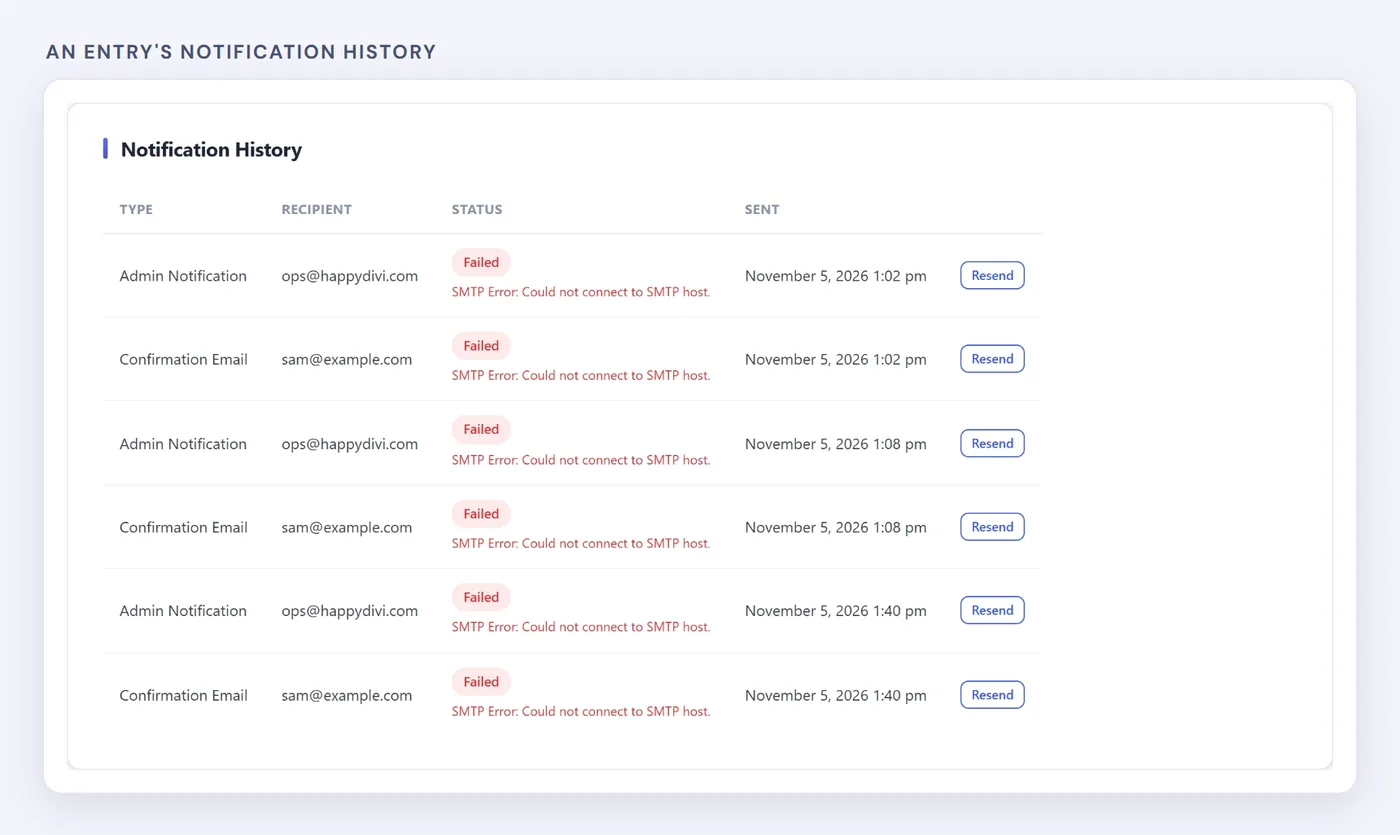
The error here points to the real cause.
For the full process, see Divi contact form not sending email.
The Module Does Not Appear#
- Check the site is on Divi 5. The plugin does not work with Divi 4.
- Check your licence under HappyDivi Form → License. The modules stay hidden until a licence is active, and the free version needs one too.
- Clear your cache and reload the Visual Builder.
The Page Shows an Old Version of the Form#
Saving a page with a form clears common caching plugins. For other caches, such as a CDN, clear them yourself. Developers can use the hdf_purge_page_cache action.
A Real Message Went to Spam#
Open Entries → Spam, read the reason and click Not Spam. Then adjust that check under Settings → Security.
A Payment Stays on Pending#
Open the entry and click Check Status. Local and password-protected sites cannot receive Stripe webhooks, so they need this step. On a public site, a pending entry can also be a checkout the visitor never finished.
Uploads Fail#
Check the field's allowed file types and size. On nginx, a client_max_body_size limit can reject large uploads before the plugin sees them, and the plugin shows a notice with what to change.
Entries Fail After a Migration#
Go to Settings → Form Features and click Recreate Database Tables. It restores missing tables and does not change existing data.