Preview and Test
Check which emails and results a form would produce, without sending anything.
- Go to HappyDivi Form → Preview & Test.
- Choose a form and type sample answers.
- Click Run Preview.
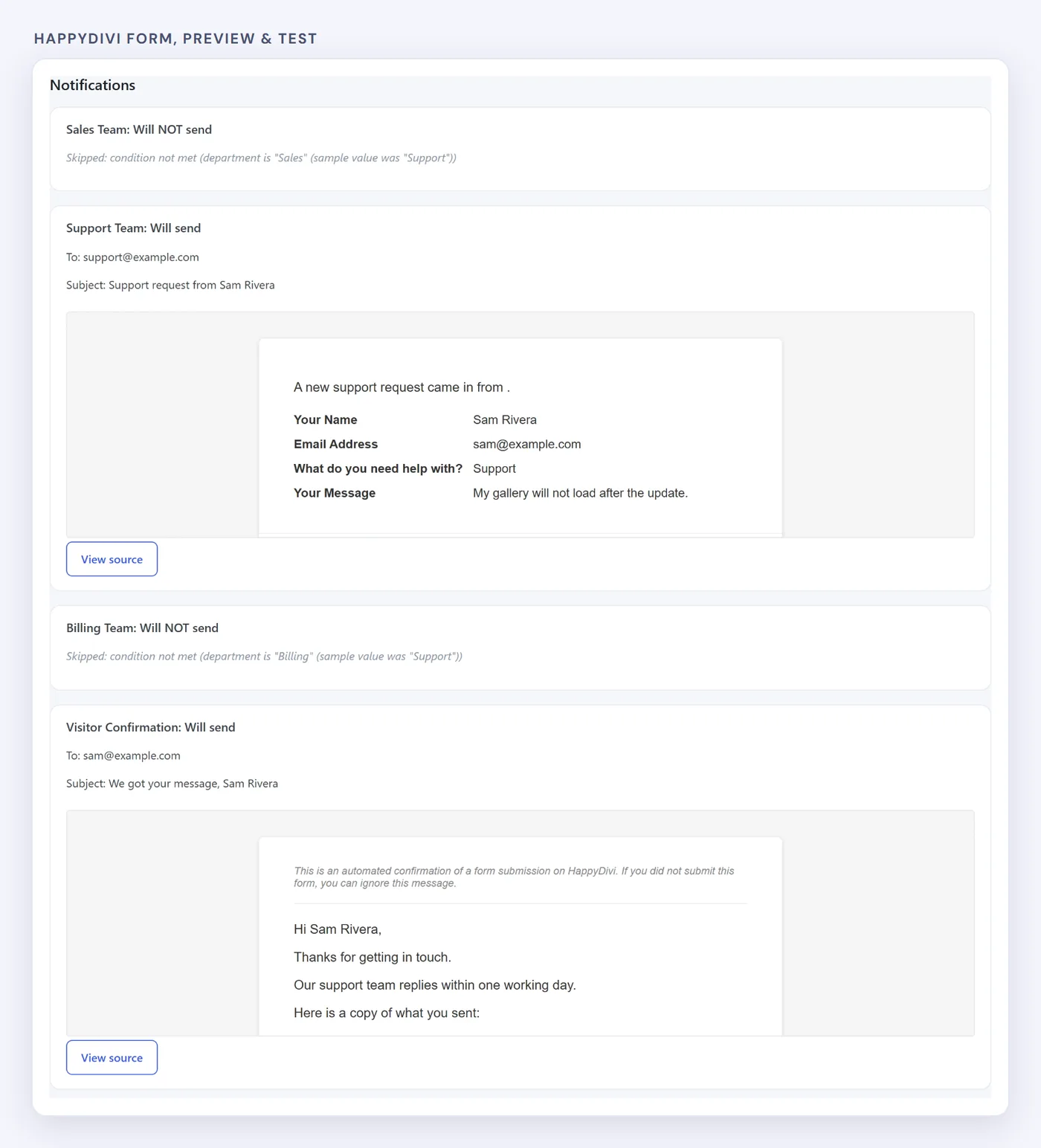
Each result says why it would or would not send.
You see which notifications would send, how each one looks, and which Success Rule would match. Nothing is saved or sent unless you choose to send a test.
Blank tags are normal
No real entry exists in a preview, so the entry number and page details stay blank. They fill in on a real submission.