The Divi Gallery module works well for a small set of hand-picked photos in a grid or slider. Its main limits are no Masonry or Justified layouts, no filter bar, no Load More or infinite scroll, and no way to fill itself from posts, ACF fields or WooCommerce products.
If you only need a handful of photos, stay with it. It is built in, free with Divi and does that job fine. If you need more, here is each limit and your options. We checked these against the module's settings in Divi 5.15.1, so check your current version too.
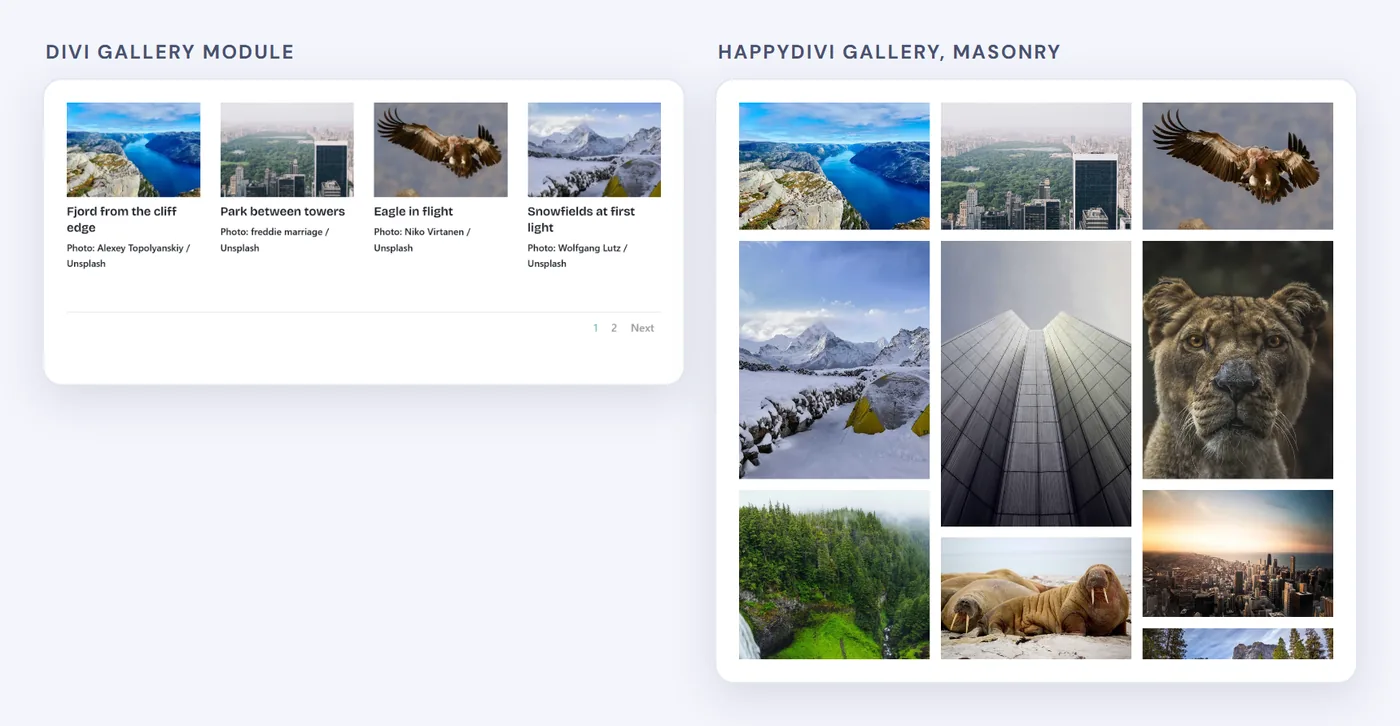
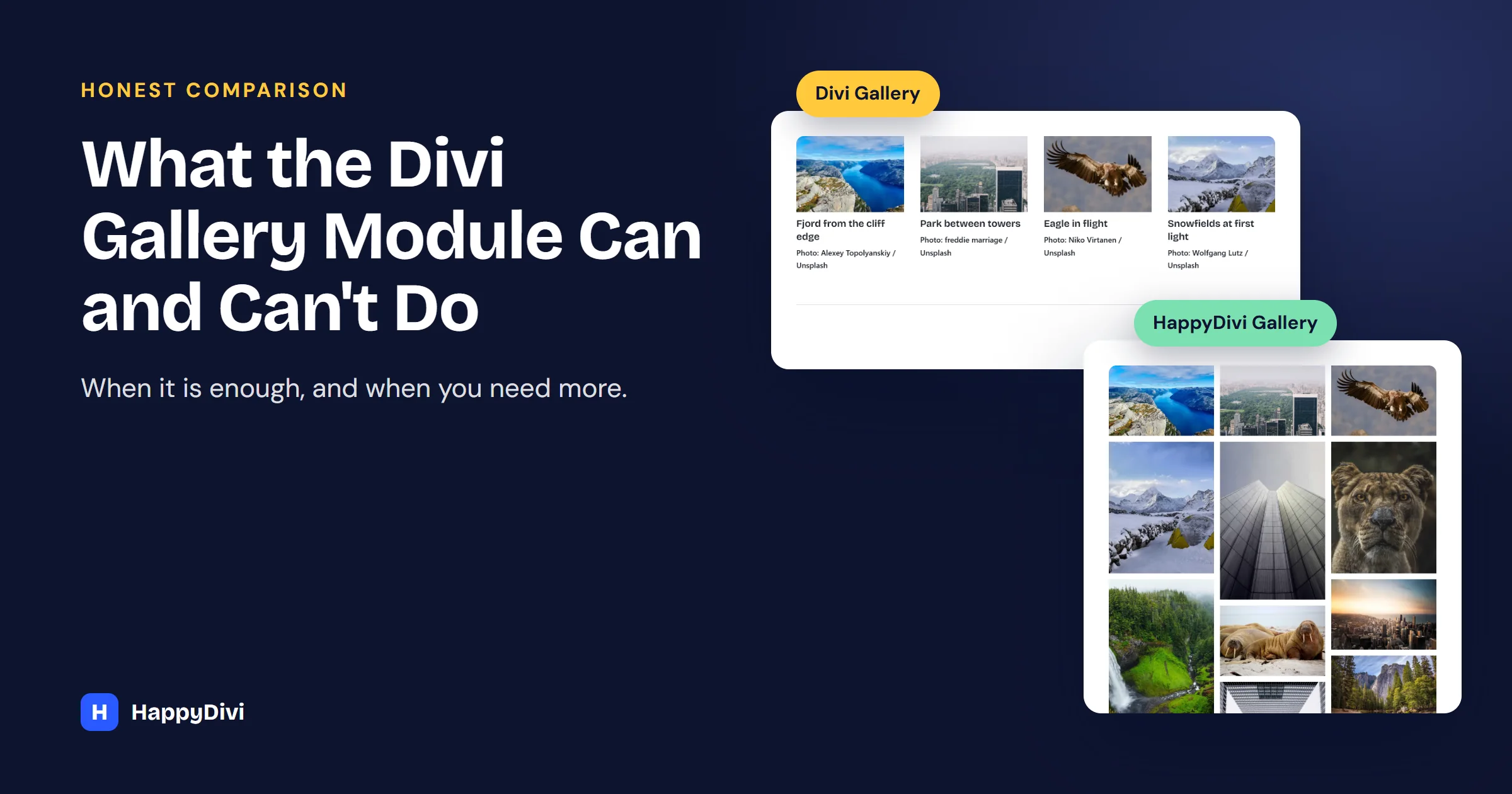
The same photos: Divi's uniform grid, and a Masonry layout that keeps each shape.
What the Divi Gallery Module Does Well
- Grid and Slider layouts, with landscape or portrait thumbnails.
- A built-in lightbox with titles and captions.
- Numbered pagination and an image count.
- No extra plugin, cost or setup.
1. No Masonry Layout
Images are cropped into a uniform grid. In HappyDivi Gallery, set Gallery Layout to Masonry (Pinterest style) and each image keeps its shape. See our Masonry tutorial.
2. No Justified Layout
There is no even-row layout, the style often used for wedding and event work. Choose Justified (Flickr style) for equal-height rows that fill the width. See the photography gallery recipe.
3. It Only Shows Hand-Picked Images
You pick images from the Media Library, so the gallery needs editing whenever content changes. Divi 5's Loop Builder can repeat Image modules from posts, which suits people happy to build their own layout. For a ready-made gallery, set Content Source to Posts or Custom Post Type. See the blog gallery and portfolio guides.
4. It Cannot Read ACF Fields
The Gallery module's images cannot come from ACF. Divi's Dynamic Content can put one ACF image in an Image module, but not fill a gallery. Choose the ACF Image / Gallery Field source and pick your field. See the ACF guide.
5. No WooCommerce Features
The Gallery module knows nothing about products. Divi's Woo modules cover standard shop grids. For prices, sale badges, Add to Cart, a price slider and sorting in one gallery, choose the WooCommerce Products source. See the WooCommerce recipe.
6. No Category Filter Bar
Visitors cannot narrow the images by category. Turn on Enable Category Filter and choose Pills, Tabs, Buttons or Dropdown.
7. No Shareable Filter Links
You cannot send someone a link that opens on one category. Turn on Save Filter in URL and each filter adds ?hdg_cat=category-slug to the address. Add Sticky Filter Bar to keep filters on screen.
8. Only Numbered Pagination
There is no Load More button or infinite scroll. Under Pagination Type, choose Numbered, Load More Button or Infinite Scroll. Our pagination guide explains which to pick.
9. A Basic Lightbox
Divi's lightbox shows the image, navigation and caption. It has no thumbnail strip, zoom, camera info, download or share button. Set the click action to Open in Lightbox and turn on the tools you need. Having trouble with Divi's? Read Divi Lightbox Not Working? Every Fix.
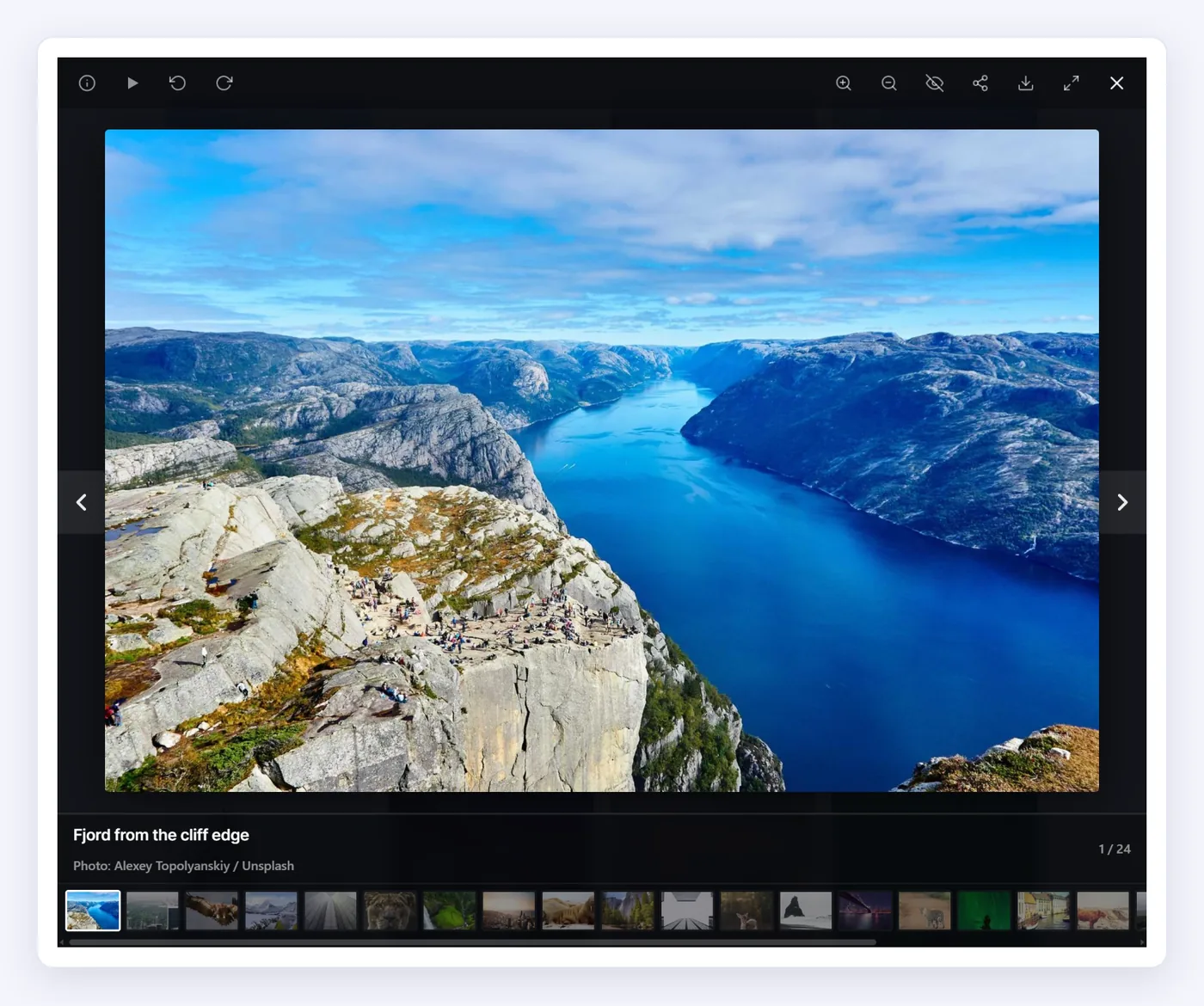
The HappyDivi Gallery lightbox, with its thumbnail strip and toolbar.
10. No Loading Placeholders
There is no built-in blur-up or skeleton effect while images load. Set Loading Placeholder to Blur-Up or Skeleton. More in our gallery speed guide.
Divi Gallery Module vs HappyDivi Gallery
| Feature | Divi Gallery | HappyDivi Gallery |
|---|---|---|
| Price | Included with Divi | Paid plugin |
| Grid layout and slider | Yes | Grid yes, slider no, product carousel for WooCommerce |
| Masonry and Justified | No | Yes |
| Posts and custom post types | No | Yes |
| ACF fields | No | Yes |
| WooCommerce prices and badges | No | Yes |
| Category filter bar | No | Yes |
| Load More and infinite scroll | No | Yes |
| Lightbox zoom, filmstrip, EXIF | No | Yes |
| Blur-up and skeleton placeholders | No | Yes |
HappyDivi Gallery is our plugin, so weigh that as you read. Other add-ons also cover some of these gaps, so compare a few, and check that any plugin you pick states Divi 5 support. For a roundup, see our Divi 5 plugin guide.
Frequently asked questions
Is the Divi Gallery module bad?
No. It is a good choice for a small set of hand-picked images. It simply was not built for dynamic content, filters, products or very large galleries.
Can I use HappyDivi Gallery alongside the Divi Gallery module?
Yes. They are separate modules. Keep your existing galleries and use the new one where you need more.
Does HappyDivi Gallery work with Divi 4?
No. It is built for Divi 5 and works inside the Divi 5 Visual Builder.
From HappyDivi
HappyDivi Gallery
One Divi 5 module for galleries from WooCommerce, custom post types and ACF fields.
- Grid, Masonry and Justified layouts
- Built-in lightbox
30-day money-back guarantee
Want the full picture? The Complete Divi 5 Gallery Guide covers every source, layout, lightbox, filter and pagination option.
From HappyDivi
HappyDivi Gallery
One Divi 5 module for galleries from WooCommerce, custom post types and ACF fields.
- Grid, Masonry and Justified layouts
- Built-in lightbox
30-day money-back guarantee