For Divi gallery pagination on most sites, a Load More button is the safest choice: it keeps the first load light and your footer reachable. Use numbered pages for large archives where people look for a specific item, and infinite scroll when the gallery is the whole page.
Divi's own Gallery module offers numbered pagination. The other two types need a gallery module that supports them, and this guide uses HappyDivi Gallery. Start with the chart, then read about your pick.
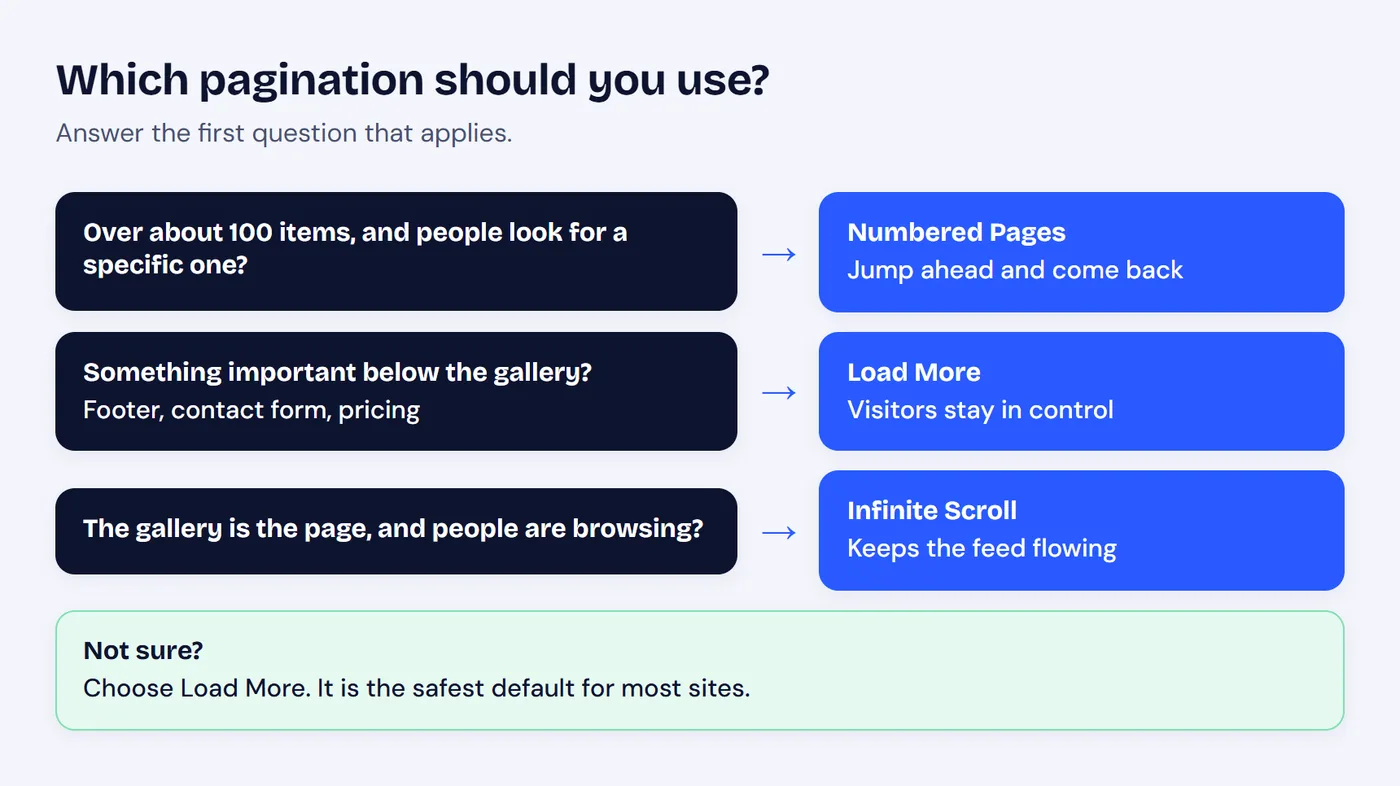
Answer the first question that applies.
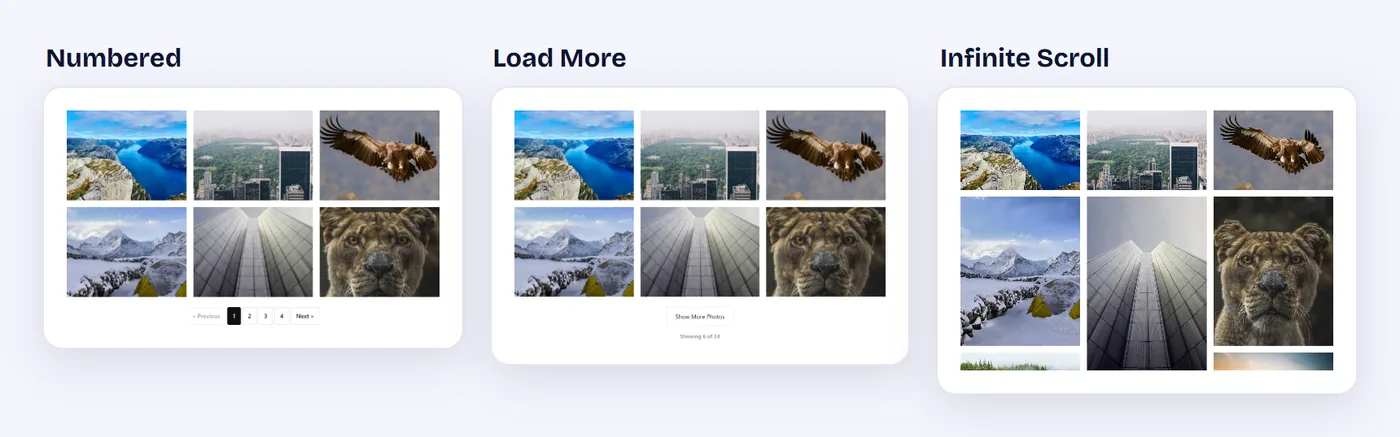
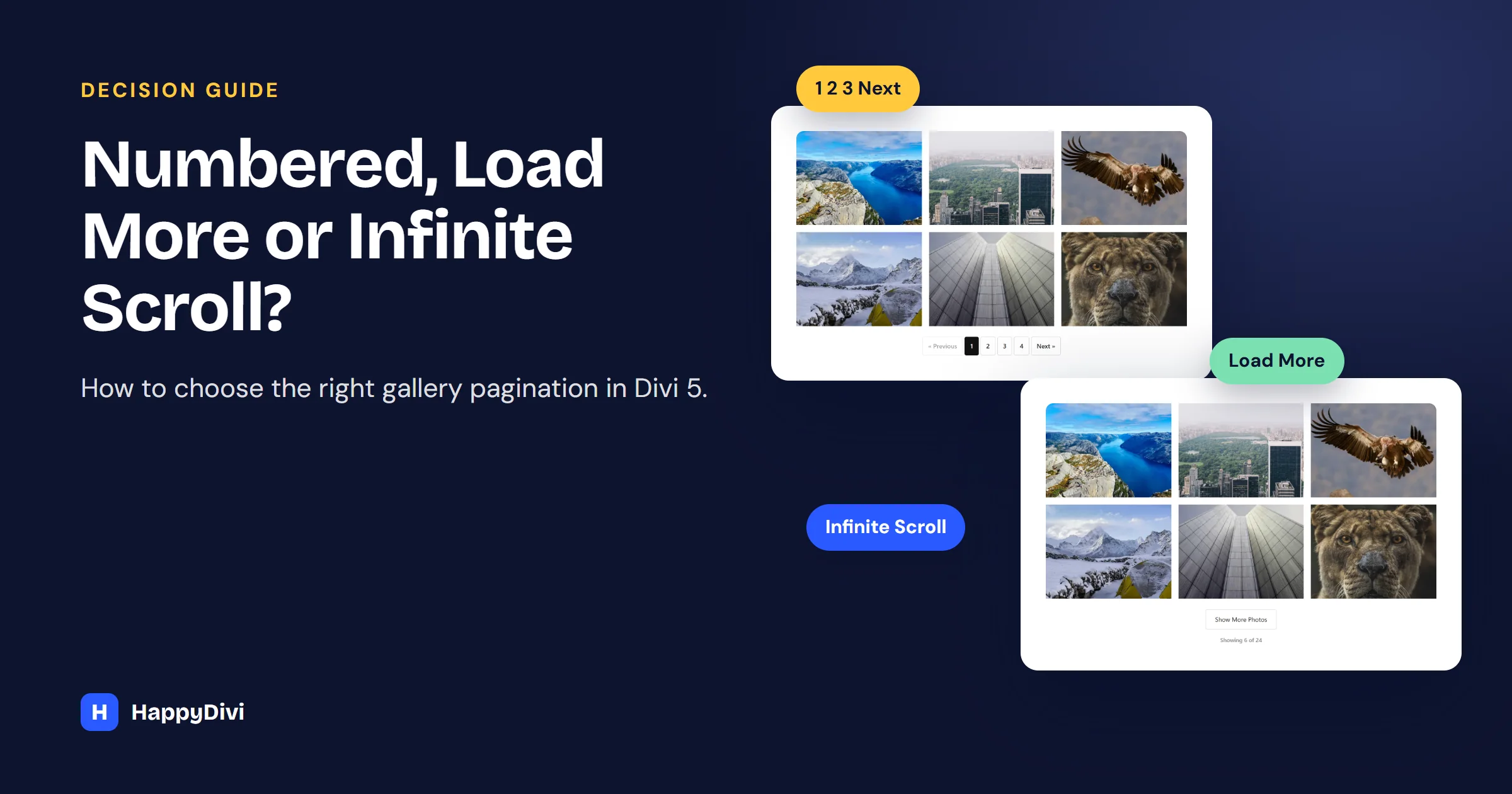
The same photos with each pagination type.
How to Turn On Gallery Pagination
Select your HappyDivi Gallery module. Pagination works with every source: Media Library, posts, custom post types, ACF fields and WooCommerce products. Under Pagination:
- Turn on Enable Pagination.
- Choose a Pagination Type.
- Set Images Per Page. Start with 12.
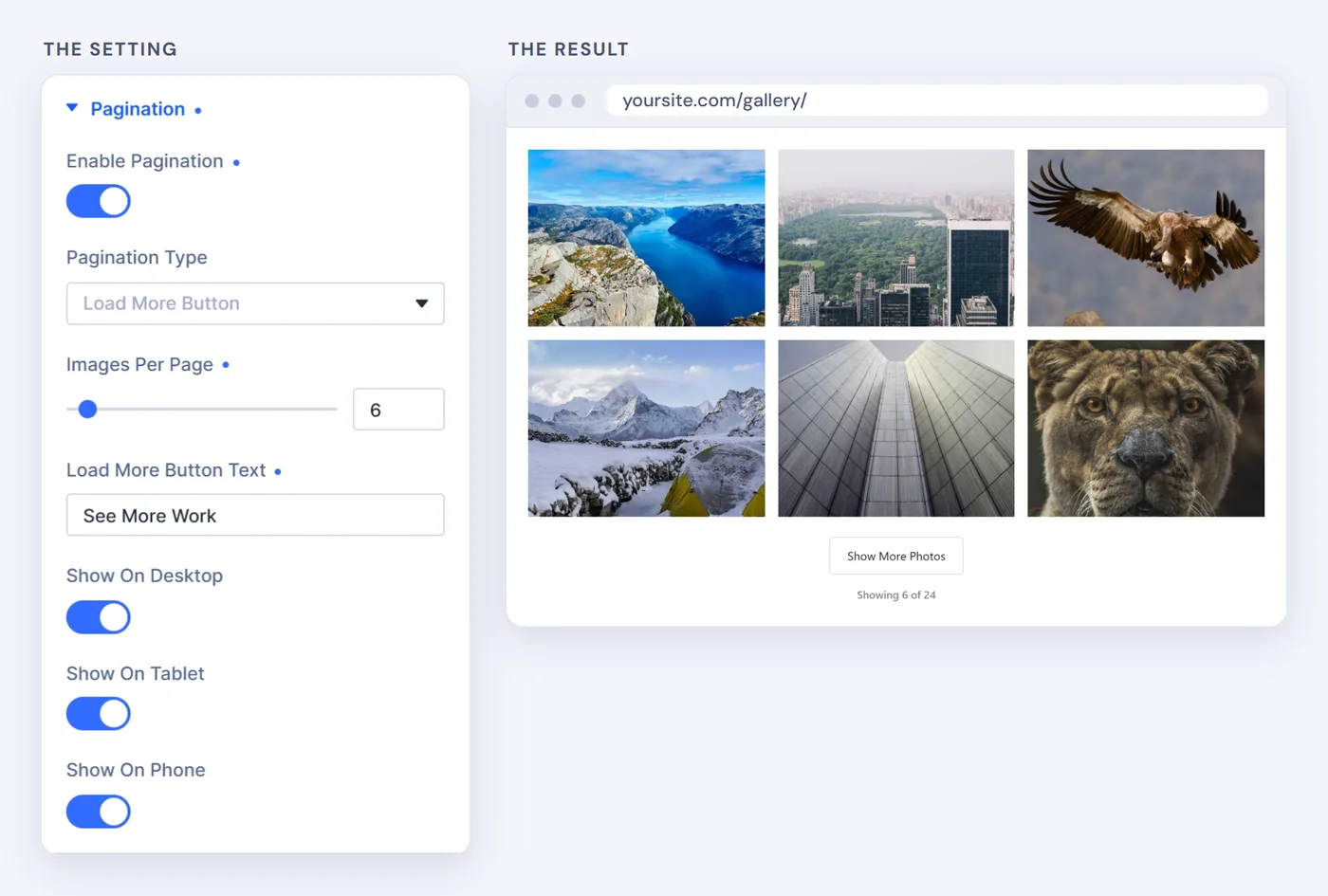
Here it is with a Load More button.
Numbered Pages: Best for Large Archives
Page numbers sit under the gallery, and you can change the Previous Label and Next Label.
- Your gallery holds about 100 or more items.
- People want to jump ahead, or come back to a page.
- The footer and the rest of the page need to stay reachable.
Load More: Best for Portfolios and Shops
Each click adds the next batch below the images already showing, so visitors keep their place. Change Load More Button Text to fit, such as "See More Work" or "More Products".
- You want visitors to look before choosing to see more.
- Something important sits below the gallery, such as a contact form or pricing.
- You sell products and want calm browsing.
Infinite Scroll: Best for Feeds
There is no button. The next batch loads as the visitor nears the end, starting about 300 px early so they rarely see a gap. It pairs well with Masonry.
- The gallery is the main content, like a blog feed or photo stream.
- Visitors are browsing for inspiration rather than one item.
- Little below the gallery matters.
Watch your footer
If your footer holds links people need, such as contact details or legal pages, choose Load More. With infinite scroll, the footer keeps moving away as new images arrive.
Quick Comparison
| Situation | Best choice |
|---|---|
| Blog feed or photo stream | Infinite Scroll |
| Agency or creative portfolio | Load More |
| WooCommerce product gallery | Load More |
| Archive with 100+ items | Numbered |
| Important content below the gallery | Load More or Numbered |
| Not sure | Load More |
How It Works With Filters and Lazy Loading
Filters: when a visitor picks a category, the count updates to that category. In our test, filtering a portfolio to Branding showed "Showing 3 of 3".
Lazy loading: pagination decides how many items are added to the page. Lazy loading decides when each image downloads. Keep both on, except for a gallery at the very top of the page, as our gallery speed guide explains.
Frequently asked questions
Does gallery pagination reload the page?
No. All three types add or swap images in place, without a full page reload.
Which pagination type is best for page speed?
All three keep the first load light, because only one batch appears at the start. A sensible Images Per Page value, around 12, matters more than the type.
Is infinite scroll bad for SEO?
It can be if images only exist after scrolling, since search engines may not load them. If those items must be found through search, also make sure each one has its own linked page or use numbered pages.
Can I change the Load More button text?
Yes. Set any label under Pagination, in Load More Button Text.
From HappyDivi
HappyDivi Gallery
One Divi 5 module for galleries from WooCommerce, custom post types and ACF fields.
- Grid, Masonry and Justified layouts
- Built-in lightbox
30-day money-back guarantee
Want the full picture? The Complete Divi 5 Gallery Guide covers every source, layout, lightbox, filter and pagination option.
From HappyDivi
HappyDivi Gallery
One Divi 5 module for galleries from WooCommerce, custom post types and ACF fields.
- Grid, Masonry and Justified layouts
- Built-in lightbox
30-day money-back guarantee