
Divi 5 Module, Live Visual Builder Preview
The gallery module
Divi always needed
Grid, Masonry & Justified layouts. Full-featured Lightbox. WooCommerce product galleries. Category filters. All built natively inside the Divi Visual Builder no shortcodes.
Native Divi 5 module
Zero jQuery
WooCommerce ready
30-day money back


Sweater


Blouse
Shirt
Socks
Shoes

Shirt - Cream
Jacket
Shirt - Green
Hat

T-Shirt

Beanie


V-Neck T-Shirt

















Best Divi 5 Plugins & Modules in 2026: The Honest Guide

Divi Lightbox Not Working in Divi 5? Every Fix + How to Set It Up Correctly

The Complete Divi 5 Gallery Guide: Dynamic Sources, Layouts, Lightbox, Filters & Pagination (2026)

Divi 5 Masonry Gallery

HappyDivi Form: Every Feature Explained (and How It Compares to Divi Contact Form and Divi Contact Form Helper)
How Divi Freelancers Run Their Business in 2026 (Full Guide)
This is a demo using sample Media Library images. On your own site, this tab will automatically display images pulled from your ACF (Advanced Custom Fields) image fields once they're set up.


This is a demo using default posts. On your own site, this tab will automatically display items from your registered Custom Post Types once they're configured.
Best Divi 5 Plugins & Modules in 2026: The Honest Guide
Divi Lightbox Not Working in Divi 5? Every Fix + How to Set It Up Correctly
The Complete Divi 5 Gallery Guide: Dynamic Sources, Layouts, Lightbox, Filters & Pagination (2026)
Divi 5 Masonry Gallery
HappyDivi Form: Every Feature Explained (and How It Compares to Divi Contact Form and Divi Contact Form Helper)
How Divi Freelancers Run Their Business in 2026 (Full Guide)
5.0 ★
Average Ratings
5
Content Sources
3
Layout Engines
00
jquery Dependencies
Gallery Layouts
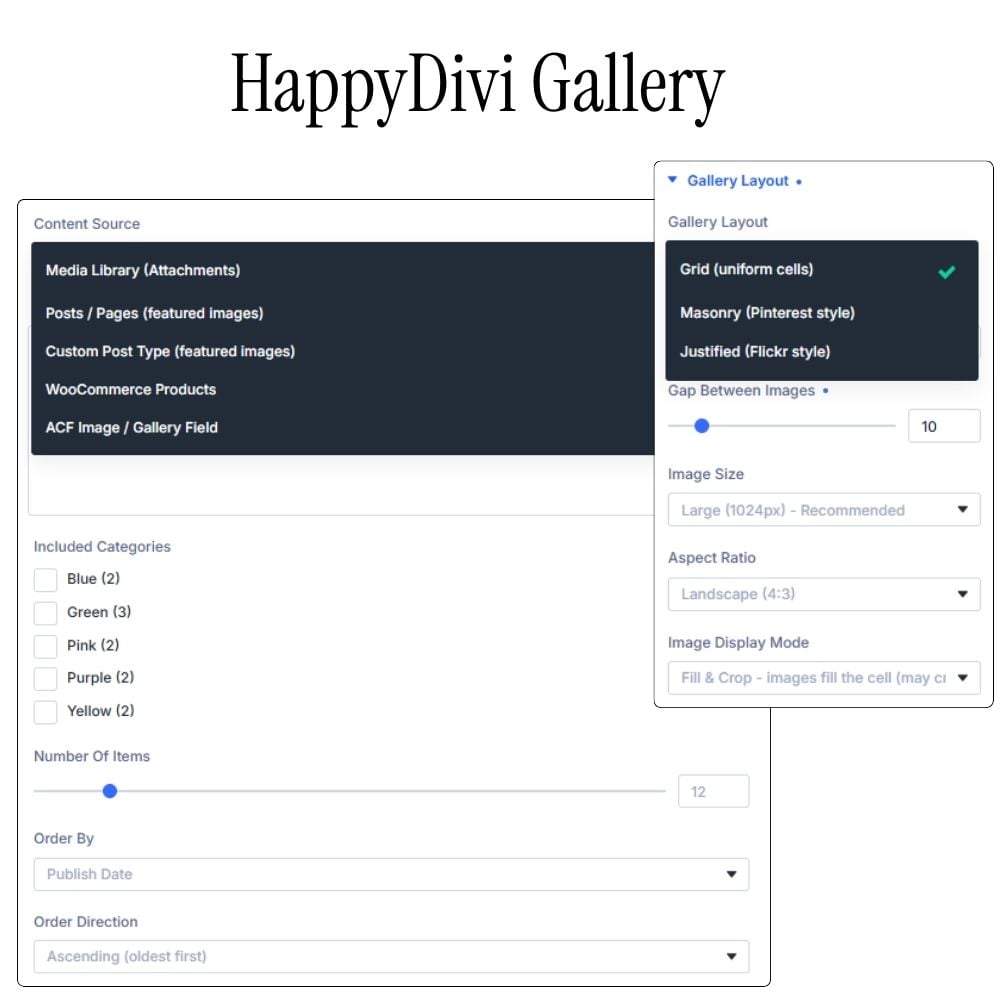
Three layout engines, built from scratch
No third-party library. Each engine is purpose-built in vanilla JavaScript — fast, conflict-free, and fully responsive with per-breakpoint column control.
Grid - Uniform Cells
Every image occupies an identical cell with your chosen aspect ratio - Square, Landscape (4:3), Wide (16:9), Portrait, or Tall. Perfect for clean portfolios and product pages.
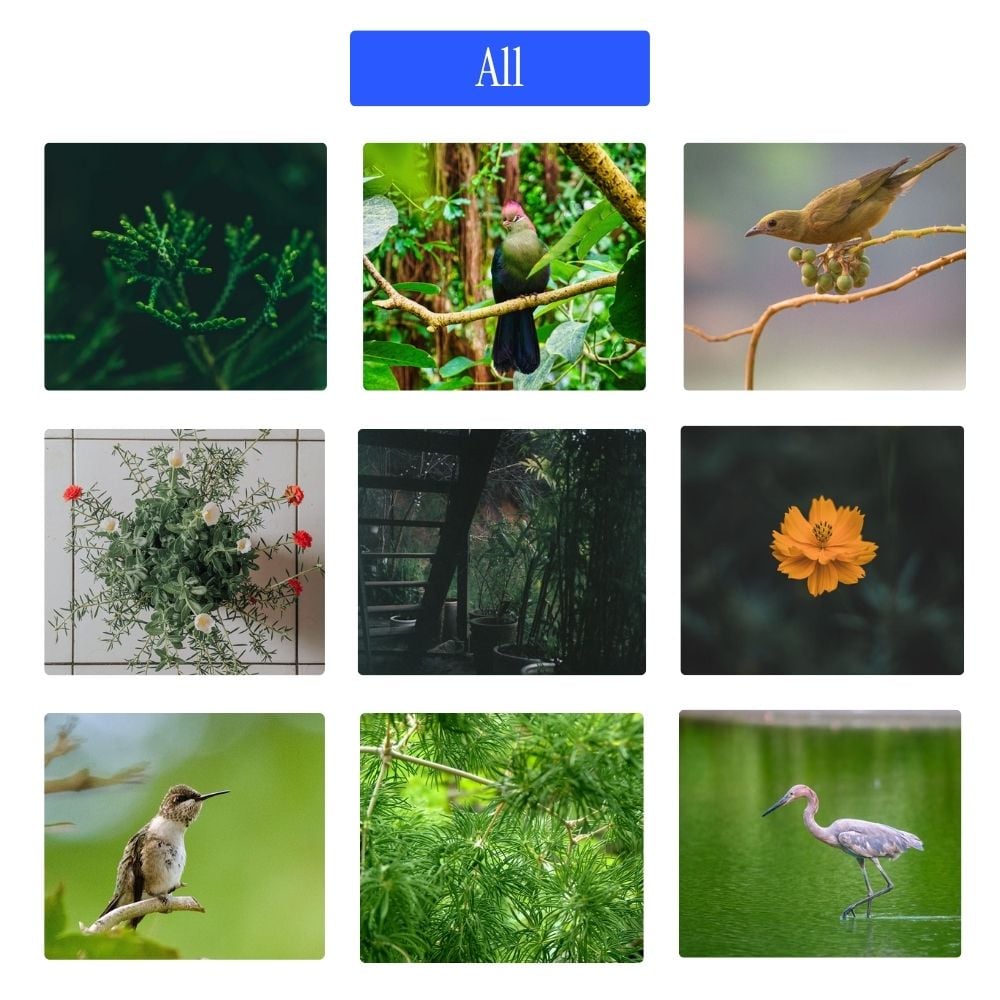

Masonry - Pinterest Style
Images keep their natural heights and are sorted into columns - tallest first in the shortest column. Smooth re-layout animations when filtering or paginating.


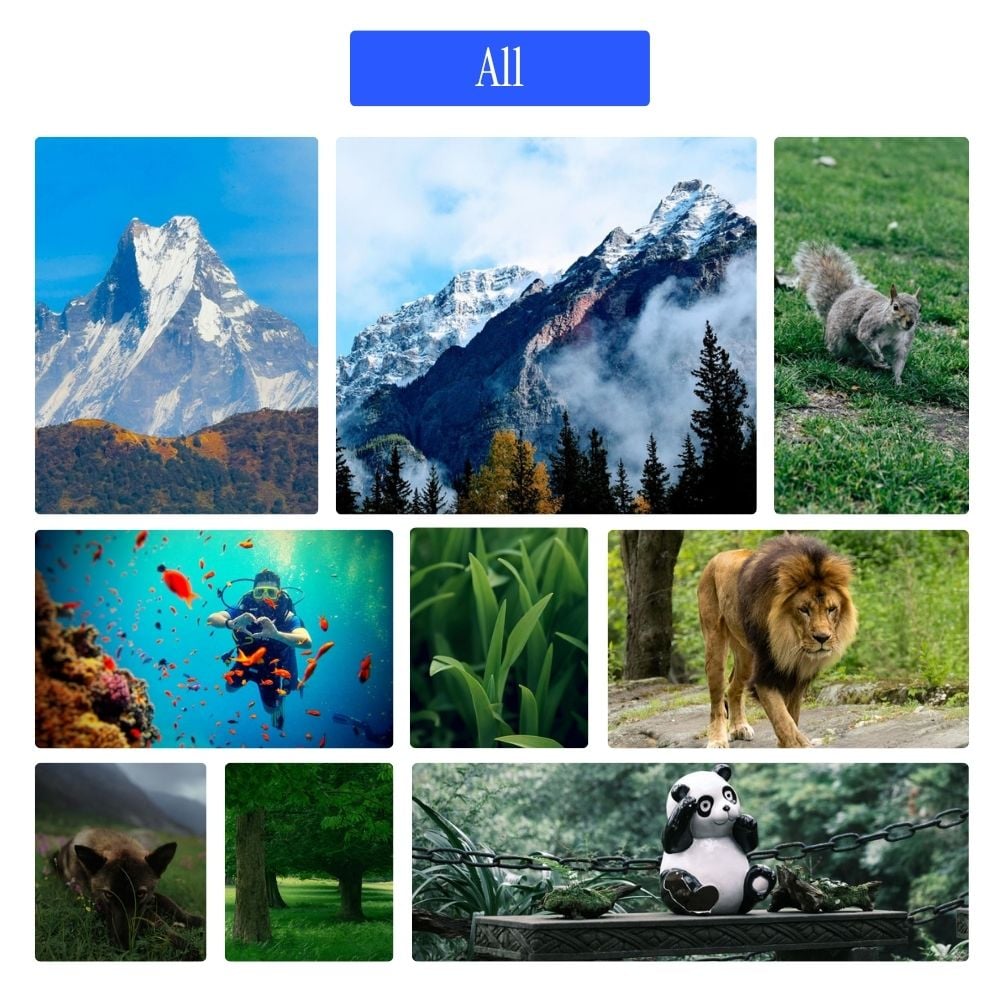
Justified - Flickr Style
Every row fills the full container width. Images keep their natural proportions - only scale adjusts. Set your target row height per breakpoint. Flush edges, newspaper feel.
Show your products in ways that Sell
Each product card holds its own image carousel, hover a card and arrow through every variant photo without leaving the grid. Combine with Grid, Masonry, Justified, or Carousel layout. Color swatches, live pricing, quick-add. All inside the Divi Visual Builder.
Grid, Masonry & Justified
One dropdown to switch layouts, no CSS needed.
Add to Cart
Two display styles: a full Add to Cart button or a minimalist cart icon over the product image.
Per-Product Image Carousel
Color Swatches
Native Divi 5 Module
3
Layout
∞
Images
100%
No jQuery
Divi 5
Module
content sources
One Module. Five data sources.
Switch the source from a single dropdown - the entire gallery rebuilds. No page refresh, no shortcode swapping.

Media Library
Most popular
Hand-pick or bulk-select from your WordPress Media Library. Drag to reorder. Filter by media category.

Post & Pages
Auto-displays featured images from any post or page. Great for blog grids and portfolio overviews.

WooCommerce Products
Most Unique
Product images with price, cart button, sale badge, and swatches. Full shop integration.

Custom Post Types
Any registered CPT - properties, team members, events, recipes. Pick from a dropdown.

ACF Image & Gallery Fields
Pull from Advanced Custom Fields image or gallery fields. Choose post type and field name from dropdowns.
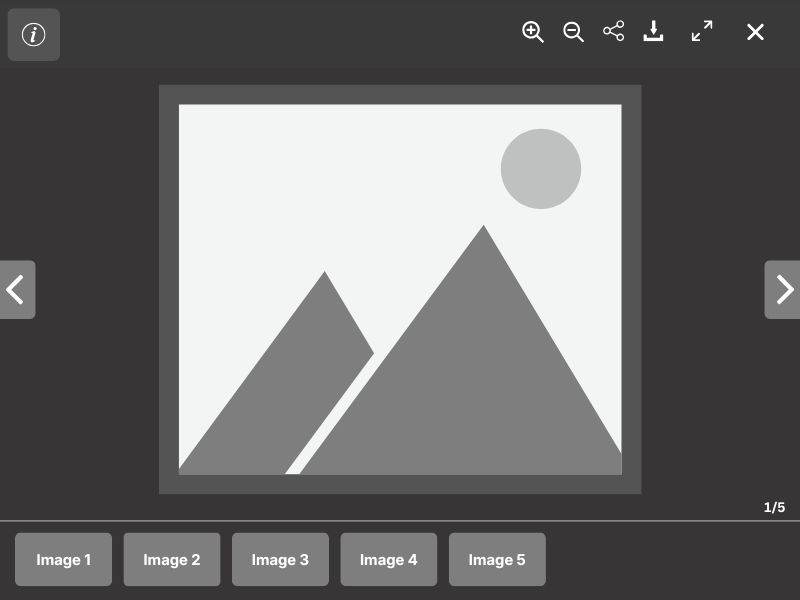
Lightbox viewer
A full-featured lightbox, zero dependencies
Built from scratch. Loaded on demand - only downloaded when a visitor first opens it. EXIF data, zoom & pan, keyboard nav, touch swipe, fullscreen, share.
Everything a professional gallery needs
← → keyboard navigation + ESC to close
Thumbnail filmstrip — click to jump to any image
Pinch-to-zoom, scroll zoom, double-tap zoom
Drag to pan when zoomed in (up to 4×)
Touch swipe left/right + swipe down to close
EXIF data panel: camera, aperture, ISO, shutter
WooCommerce panel: price + Add to Cart inside lightbox
Native Share API on mobile, clipboard copy on desktop
Download full-resolution image button
Next/previous images preloaded - navigation feels instant
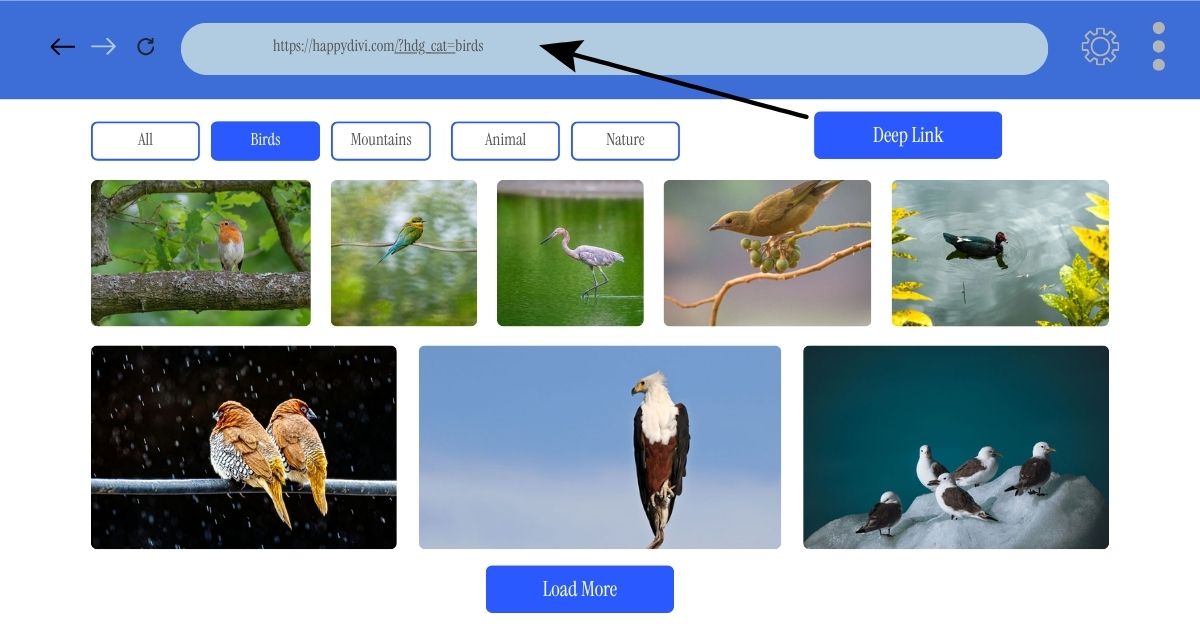
Category Filter & Pagination
Filter, paginate, deep-link
Tired of page reloads killing your vibe? Let visitors filter by category without a single refresh, because waiting is so last decade.
Choose from three pagination modes, four filter design (yes, we’re spoiling you). Every filtered view gets its own bookmarkable, shareable URL, deep-linking that actually works. And sticky filter options? They stay put like that one friend who never leaves the party.
What else do you want? A unicorn? Maybe next version. For now, grab this and watch your conversions climb.
Load More
A button reveals the next batch. Visitors control the pace.
Infinite Scroll
IntersectionObserver loads the next batch automatically as visitors scroll.
Numbered Pages
Smart truncation handles galleries with 100+ pages elegantly.
WooCommerce
A product gallery that, drives sales
Server-side product filtering, per-cell image carousels, color swatches, AJAX add-to-cart, real-time frontend sort and price slider - all without leaving your page.
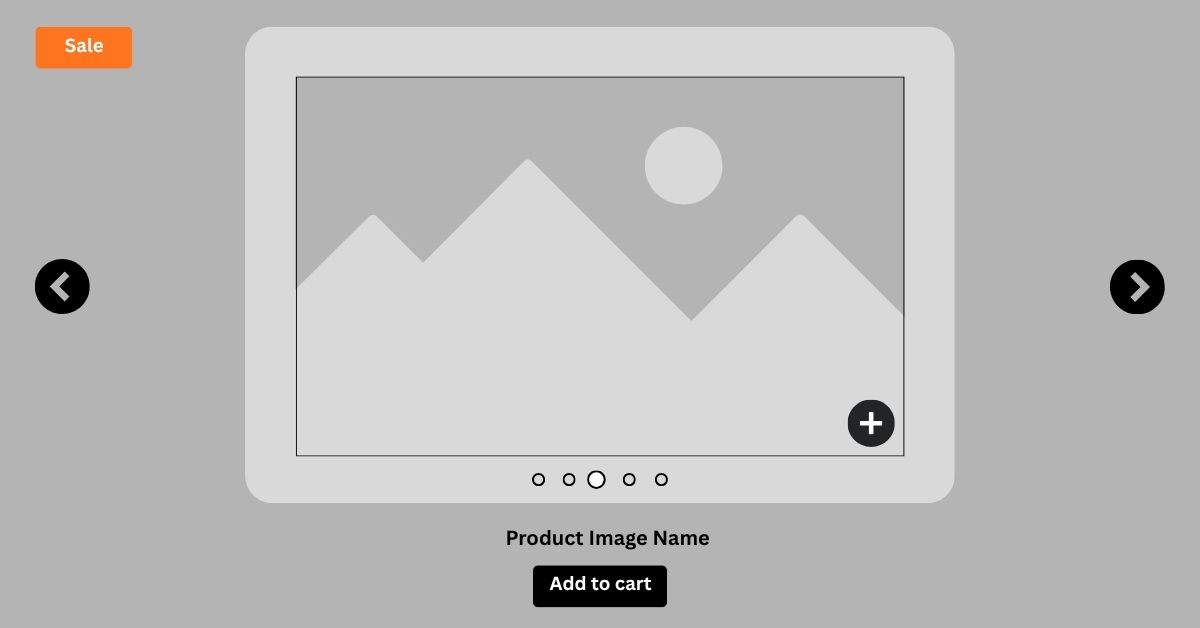
Product Gallery Carousel
Every product cell is a mini slideshow
Activating the carousel turns each gallery item into a self-contained product image slider with all variant photos - not just the featured image.
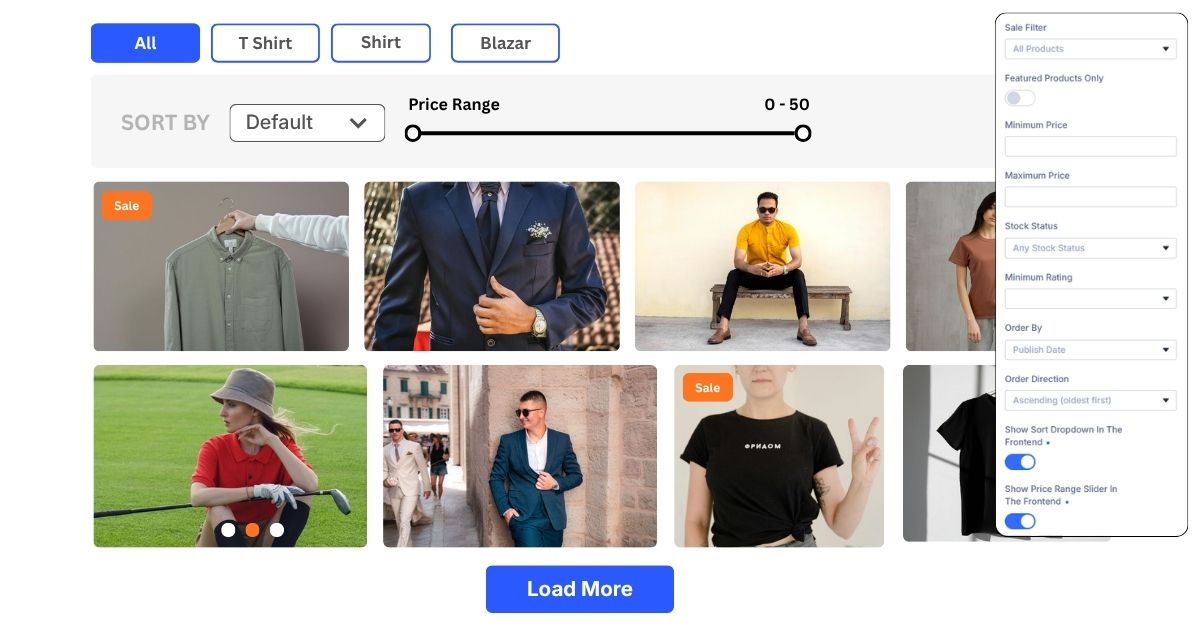
Frontend Controls
Sort and filter without a page reload
A sort dropdown, dual-handle price slider, and active filter chips - visitors refine the product gallery in real time, staying fully in context..
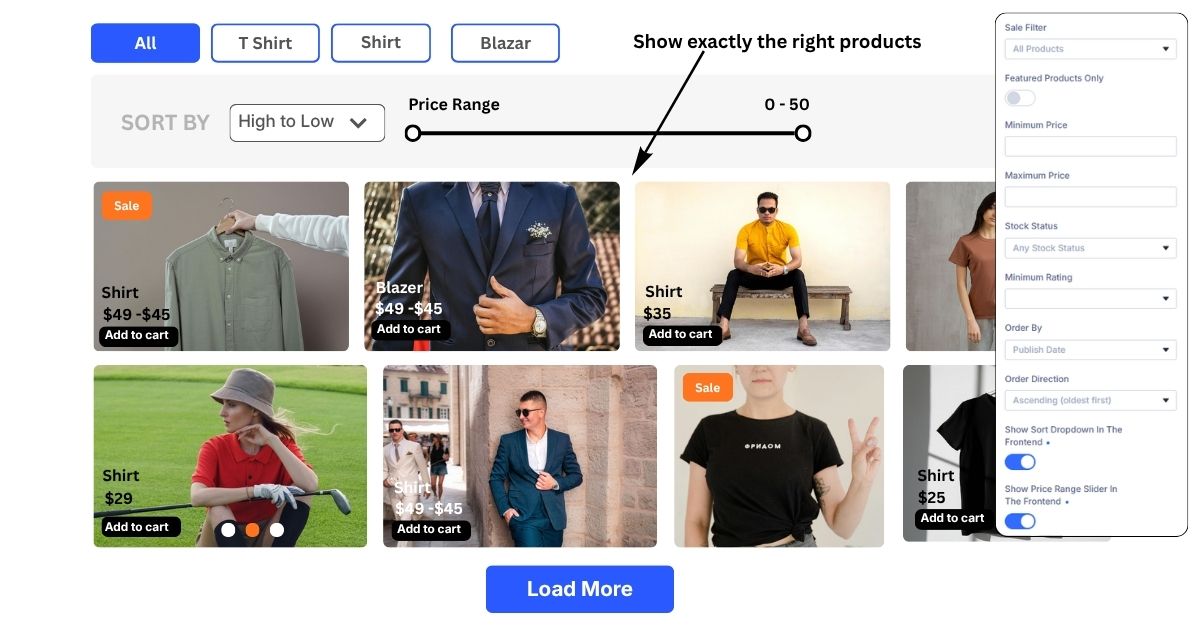
Server-side Filters
Show exactly the right products
Filter by sale status, featured flag, price range, stock status, product tags, minimum star rating, and category - all resolved server-side before the page loads..
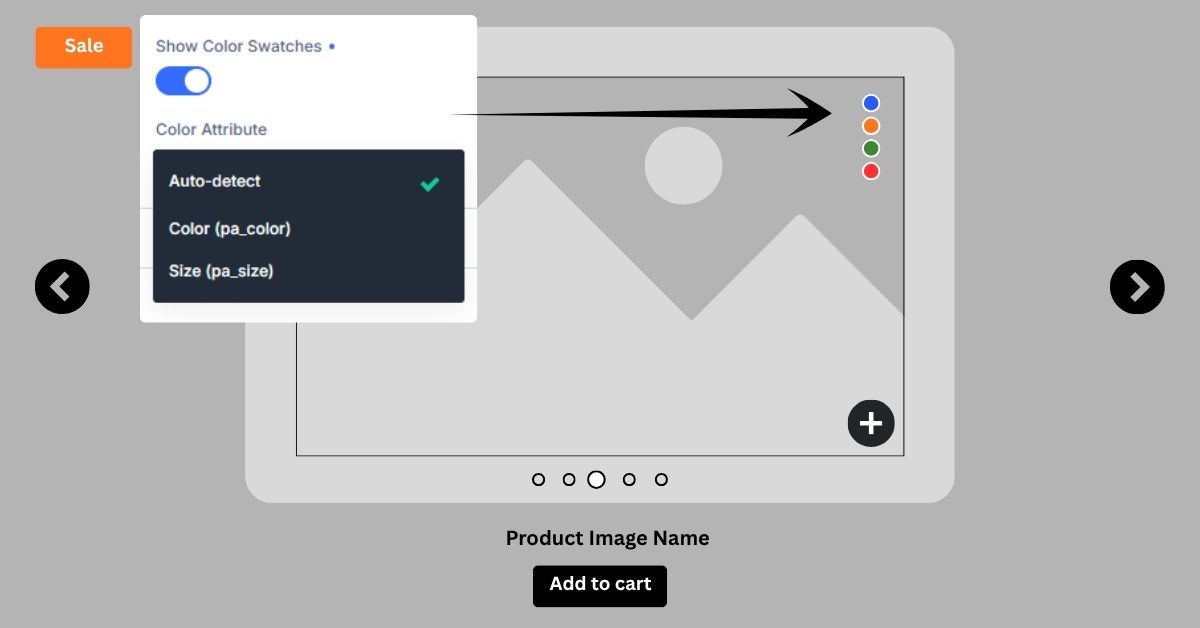
Color Swatches
Auto-detected variant swatches
Auto-detects any attribute containing "color" or "colour". Clicking a swatch jumps the carousel to that variant's image. Manual override available for non-standard attribute names.
Performance & Accessibility
Built for Core Web Vitals, and inclusivity
Zero jQuery. Code-split JavaScript bundles. Server-side rendering. Full WCAG compliance. The gallery that never slows your site down..
Zero jQuery. Vanilla ES2020.
All JavaScript is written without jQuery - no 87 KB library loading that you didn't ask for. Each feature (lightbox, masonry, filter, carousel) is a separate dynamic import.
import('./lightbox.js') // loaded on first click only
Only loads code for features in use on this page
Server-side rendered. Progressively enhanced.
PHP renders the complete gallery HTML. Visitors see images immediately - even before JavaScript loads. JS then adds lazy loading, animations, and interactive features on top.
// No blank page while JS boots
Visible on first HTML byte
Fastest possible LCP (Largest Contentful Paint)
IntersectionObserver everywhere
Lazy loading, infinite scroll, and entrance animations all use IntersectionObserver. No scroll event listeners. No polling. The browser does the work - efficiently.
// 200px lookaheadt
Images preloaded before they scroll into view
Only loads code for features in use on this page
Full accessibility — WCAG compliant
Semantic HTML throughout: figure, figcaption, nav, button, a. Lightbox is a proper role="dialog" with aria-modal. Focus trap keeps keyboard users inside the lightbox. All animations respect prefers-reduced-motion.
aria-model
aria-pressed
focus-trap
prefers-reduced-motion
Keyboard nav
Lazy Loading — Three placeholder modes
Divi Integration
Feels like it shipped, with Divi
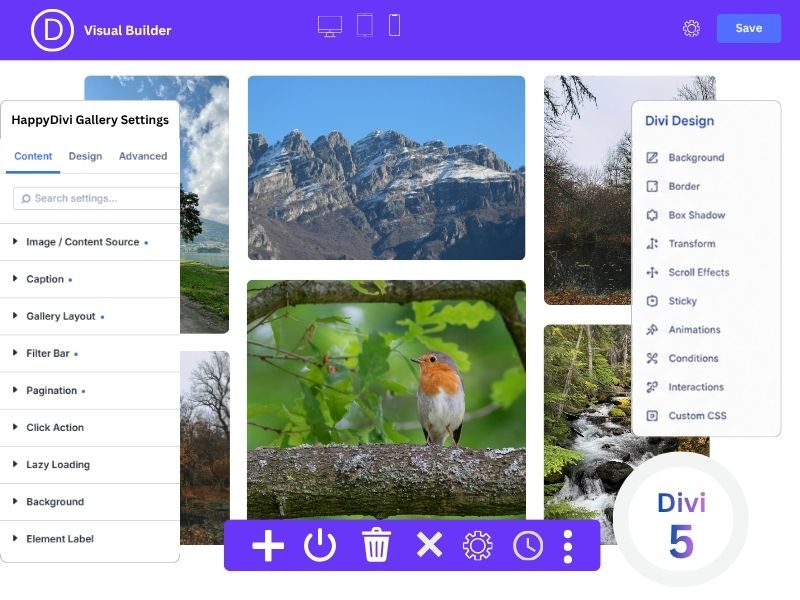
Not a shortcode. Not an iframe. A native Divi 5 module with live React preview - every setting change reflects instantly in the Visual Builder.
Every Divi decoration panel works with HappyDivi Gallery: backgrounds, borders, box shadows, transforms, scroll effects, sticky pinning, animations, conditions, interactions - the full set.
Responsive overrides for columns, gap, and row height work per breakpoint (desktop / tablet / phone) using CSS custom properties - the layout engines always read the correct value without JavaScript resize listeners.
✅ Live Visual Builder preview
✅ Responsive breakpoint overrides
✅ Divi Conditions
✅ Scroll Effects
✅ Sticky support
✅ Divi Animations
✅ Custom CSS fields
✅ Disable on device
✅ Box Shadow
✅ Transform panel
✅ Divi Interactions
HappyDivi Testimonial
What they say, about us
"HappyDivi made building image galleries for wooCommerce products in Divi incredibly easy. Everything feels native to the builder, and the results look great without extra tweaking. Definitely one of the better Divi plugins I've used."
Yan Hilly
Small Business Owner
"We've used HappyDivi on several client projects already. It's reliable, fast, and offers much more control than the standard Divi gallery options. Great plugin."
Mark Henderson
WordPress Developer
"I needed a gallery solution that was both flexible and fast. HappyDivi delivered exactly that. The filtering options are excellent, and my clients love how easy it is to manage."
Michael Turner
Freelance Web Designer
SIMPLE, TRANSPARENT PRICING
Pay Yearly/ Lifetime
Unbeatable pricing
Every license includes all features, Yearly or lifetime updates as per the license key.
30-day money-back guarantee · No questions asked
HappyDivi Gallery
$25/ yr
Unlimited websites · per year

All 5 content sources (Media, Posts, WooCommerce, CPT, ACF)
All 4 filter styles (pill, button, tab, dropdown)
All 3 layouts (masonry, grid, and justified)
Full lightbox with EXIF data panel
3 pagination modes including infinite scroll
SEO-friendly URL-based filters
Unlimited website licenses, including client sites
1 year of plugin updates & Divi 5 compatibility
Priority email support, real humans, no bots
30-day money-back guarantee
$25 USD per year. Your renewal funds ongoing Divi 5 compatibility work, active plugin development, and real human support, not a bot. You are never charged without your explicit action. Payments by Paddle. License management at happydivi.com/customer-profile/.
Personal
1 Site License
$
49
Lifetime
$49 per site
Freelancer
10 Site License
$
79
Lifetime
~$7.90 per site
Most Popular
Developer
20 Site License
$
99
Lifetime
~$4.95 per site
Agency License - Unlimited Sites
Scale to Unlimited Sites.
One license key.
Built for web agencies and freelancers managing multiple client websites. Install HappyDivi Gallery on Unlimited domains from a single license, no per-site fees, no usage limits, no surprises.
Unlimited websites
Client sites allowed
Lifetime updates
Priority support
All features included
Zero jQuery
Option A — 12-Month Installment Plan
$
15/month
How this works — please read
This is a split-payment plan for the same lifetime license - not a subscription. You pay $15/month for 12 months ($180 total), and after your 12th payment your license is fully paid off and yours forever. No more charges after month 12. No renewal invoice. No expiry date. Your license is active and usable on unlimited sites from day one - even while you are still completing payments.
$15 × 12 payments = $180 total
Then $0 forever
ⓘ Choose this if you'd rather spread the cost over a year instead of paying $149 upfront. The end result is identical to Option B - a permanent lifetime license - it just costs $31 more in total.
best value
Option b — Lifetime (One-Time Payment)
$
149
What you're paying for
You pay $149 once - that's it, forever. No renewal invoice, no monthly charge, no expiry date. Your unlimited sites license is yours permanently. Even if you close your account and re-open it later, your license key remains valid.
One payment of $149
Saves $31 vs. 12 months
ⓘ Recommended for agencies. Same access as the monthly plan - same unlimited sites, same features, same priority support - but the license never expires and costs less than 10 months of the monthly rate.
Everything included on all plans - no add-ons, no hidden extras
All features · All layouts · All content sources · Lifetime updates
Gallery & Layouts
Grid layout
Masonry layout
Justified (flush-row) layout
Filter bar
Filter by category
Load More pagination
Numbered pagination
Infinite scroll
Responsive & mobile-ready
Zero-dependency overlay
Pinch-to-zoom (up to 4×)
Touch swipe left / right
Swipe down to close
Keyboard navigation (← →)
Thumbnail filmstrip
Image counter (3 / 24)
EXIF metadata panel
Download & Fullscreen API
Native share sheet (mobile)
Media Library
Posts (featured images)
Custom Post Types (any CPT)
WooCommerce Products
ACF Image field
ACF Gallery field
Per-cell product carousel
Price & Add to Cart in lightbox
Dynamic query filters
Vanilla ES2020 zero jQuery
Server-side rendered HTML
Code-split (on-demand JS)
Blur-up lazy loading
Skeleton shimmer loader
prefers-reduced-motion
role="dialog" + focus trap
Divi 5 Visual Builder module
Lifetime updates included
30-day money-back guarantee
No annual fees on lifetime plans
Secure checkout · Instant access
Email support & full documentation
FAQ
Questions?
Is this a native Divi 5 module or a shortcode plugin?
It is a fully native Divi 5 module - not a shortcode, not an iframe embed. It appears in the Divi Builder module panel alongside native modules, has its own Content / Design / Advanced tabs, and renders a live React preview that updates with every setting change. It integrates with every Divi decoration feature: backgrounds, borders, box shadows, transforms, scroll effects, sticky, conditions, interactions, and responsive previews..
Will it slow down my site?
No. HappyDivi Gallery uses dynamic imports — each feature (lightbox, masonry engine, carousel, filter) is a separate JavaScript chunk that is only downloaded when actually used on the current page. Pages without the gallery module load zero extra JavaScript. The gallery itself is server-side rendered, so images appear instantly even before JavaScript executes. There is no jQuery dependency.
Does it work with WooCommerce?
Yes — extensively. Setting the content source to WooCommerce Products enables server-side product filtering (by sale status, stock, price range, rating, tags), per-cell image carousels showing all product gallery images, automatic color swatch detection, AJAX add-to-cart buttons, sale and out-of-stock badges, a frontend sort dropdown, and a real-time price range slider. All WooCommerce features are optional toggles.
Which versions of Divi are supported?
HappyDivi Gallery is built for Divi 5, Elegant Themes' latest major release with native React-based module architecture. It uses the Divi 5 module API throughout, which provides the live Visual Builder preview and full decoration panel integration. Divi 4 is not supported.
Can I use it on client sites?
Yes. The number of websites depends on the license you choose. Our plans support 1 website, 10 websites, 20 websites or unlimited websites. You can check the full details on our pricing page: HappyDivi Pricing
What is the refund policy?
30 days, no questions asked. If you purchase and decide it's not right for you within 30 days, email our support team and we will process a full refund. We do ask that you try reaching out to support first if you're hitting a problem — we resolve most issues within a few hours.
The gallery your Divi site
deserves - today.
Join HappyDivi Community. Where Divi Makes You Happy. Yearly/ One-time payment. Instant access.
30-day money back guarantee.

Most secure checkout

Instant deliver
